Condeco helped define enterprise office booking, and for large organizations with complex real estate operations, multiple locations, and dedicated admin teams, that depth still has value; but for many mid-market companies, the real need is simpler hybrid work coordination inside Microsoft Teams and Outlook, not a heavier system built around enterprise oversight, which is why more modern alternatives like Yoffix are gaining attention for making it easier to coordinate team office days, book desks and rooms, and manage the office with less friction.
What is Condeco?
Condeco, now part of Eptura and rebranded as Eptura Engage, is an enterprise workspace scheduling platform designed to help organizations manage desks, meeting rooms, visitors, and other office resources across complex office environments. Condeco was founded in 2005 and built for enterprise coordination at scale.
What Condeco does well
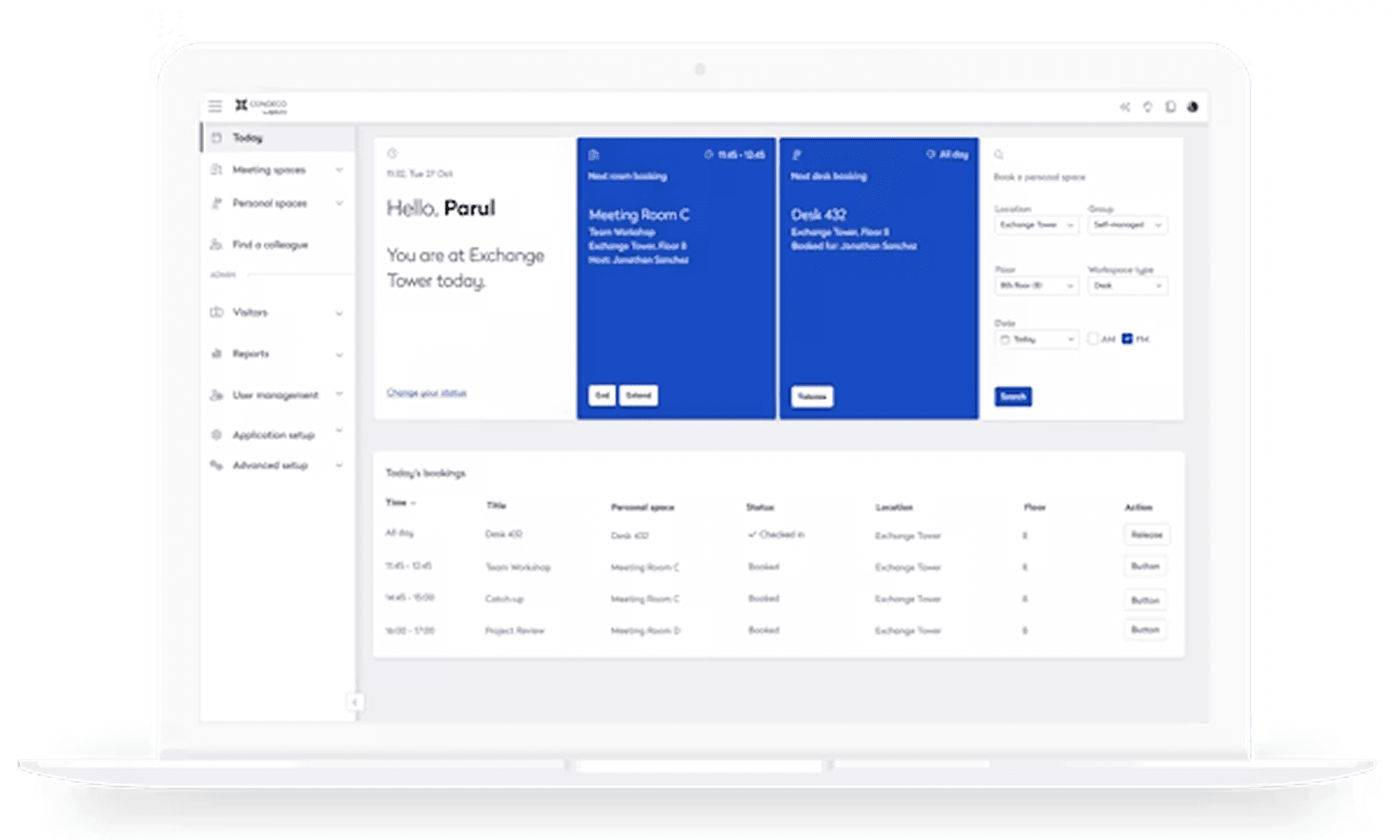
Condeco's strength is breadth. The platform is designed to manage multiple offices, floors, room types, desk types, services, and workplace policies from one administrative system. It also supports booking workflows through Microsoft Outlook and Microsoft integrations, which is one reason it became widely used in larger organizations already operating in Microsoft environments.
Condeco offers capabilities such as enterprise oversight across locations, configurable booking rules, workweek planning, occupancy and utilization insights, device and sensor support, and integrated visitor or service workflows. For global organizations with 10,000+ employees managing complex real estate portfolios by dedicated teams of administrators, Condeco's depth makes sense.
Why organizations move away from Condeco
Condeco holds an overall rating on Capterra of 3.9 out of 5 across 72 reviews. It does a lot, and for large enterprises that can be the right answer. But for mid-market organizations that same administrative complexity can become overhead.
For mid-sized companies the pattern that drives a switch tends to center on five things:
Configuration depends on IT. Setting up desks, zones and booking policies is described by reviewers as complicated and time-consuming, particularly by technical admin roles. Workplace managers who want to adjust a policy themselves (a new zone, a capacity limit, a booking rule) often can't do it without routing the change through IT or a specialist team.
Reporting requires manual work. Multiple reviewers describe pulling occupancy or attendance data as fiddly and unintuitive, with historical records hard to retrieve. Condeco's own team has publicly acknowledged this feedback and named it as an area for improvement.
Microsoft 365 sync isn't always reliable. Reviewers report synchronization issues between Condeco and Exchange, and gaps in native Teams integration specifically. For companies where Teams and Outlook are the daily workflow, an add-on layer that occasionally falls out of sync undermines the point of the integration.
The platform is scaled for enterprise, not mid-market. Much of Condeco's design (multi-building oversight, complex real estate portfolio tools, deep IT-managed configuration) solves problems that mid-sized companies don't have. That depth becomes overhead rather than value once a company's core need is desk sharing, room booking and hybrid coordination for a single office or a handful of locations, and it shows up in the interface too: a handful of reviewers describe the product as feeling dated next to newer, more consumer-style workplace tools.
Incident communication can lag. Some reviewers point to slow or unclear communication during technical incidents, including limited visibility into fix timelines and status. For a system employees rely on every office day, that gap has an immediate operational cost.
Condeco was built with a different administrator in mind: someone with dedicated IT support and the bandwidth to manage a complex back end. For mid-sized companies with fewer than 10.000 employees where the workplace manager needs to own configuration directly and pull a report without submitting a ticket, that mismatch is what tends to trigger the search for an alternative.
What to look for in a Condeco alternative
Before evaluating specific platforms, establish what your organization actually needs from a workplace management system. The answer varies significantly depending on whether your priority is real estate portfolio optimization, hybrid team coordination, visitor security, or room utilization analytics.
For mid-market organizations in the EU three criteria matter more than feature count: Microsoft ecosystem integration (does the tool work inside Teams and Outlook, or does it require employees to adopt another app), rollout speed (can workplace managers configure policies without waiting on IT, or does every change require developer support), and transparent pricing with regional hosting that meets GDPR and works council requirements.
A practical evaluation framework should cover:
Booking workflows: can employees book desks and rooms from their existing tools, or do they need to learn a separate interface
Team coordination: can employees see which teammates plan to come in before deciding their own office days
Policy enforcement: can the system automatically release no-show bookings and apply priority rules without manual intervention
Analytics depth: does the platform provide occupancy data and utilization patterns that support space planning decisions
Compliance readiness: does the vendor offer EU data residency, GDPR-compliant processing agreements, and works council documentation
Implementation timeline matters as much as feature capability. Organizations planning office relocations or return-to-office programs need systems live in weeks, not quarters. Look for platforms that offer pre-built Microsoft integrations, template-based floor plan uploads, and role-based administration that workplace managers can handle without developer support. The goal is operational within two weeks, not six months of configuration.
Microsoft-native platforms versus standalone systems
The most significant architectural decision is whether to deploy a Microsoft-native platform or a standalone system with API connections. This choice affects adoption rates, IT overhead, and long-term total cost of ownership more than any single feature.
Microsoft-native platforms like Yoffix and Microsoft Places work directly inside Teams and Outlook. Employees book desks through a Teams app or Outlook add-in, view team schedules in their existing calendar, and receive booking confirmations through the notification systems they already monitor. Calendar sync is bidirectional and automatic—no manual export, no separate login, no context switching. For organizations already using Microsoft 365, this approach eliminates the adoption friction that kills most workplace initiatives.
Standalone systems like Robin, Envoy, and traditional Condeco deployments operate as separate applications with their own interfaces, login systems, and notification channels. They connect to Microsoft via APIs and can push bookings to Outlook calendars, but employees still open a distinct app to search for desks, check availability, or modify reservations. That extra step (opening another tool, remembering another password, checking another notification stream) creates friction that tends to show up directly in usage data.
The distinction matters most for mid-market organizations without dedicated change management teams. Enterprise companies can mandate tool adoption through policy and training programs. Mid-market buyers need tools employees choose to use because they fit naturally into existing workflows. That is one reason Microsoft-native architecture often delivers stronger day-to-day adoption than standalone enterprise platforms built primarily for real estate portfolio management.
Comparing alternatives to Condeco
Understanding what your organization needs from each capability determines which platform fits best.
Yoffix: The Best Condeco Alternative for European Mid-Market Companies
For European organizations with fewer than 10,000 employees, Yoffix offers a modern alternative to the complexity and administrative overhead often associated with Condeco and Eptura.
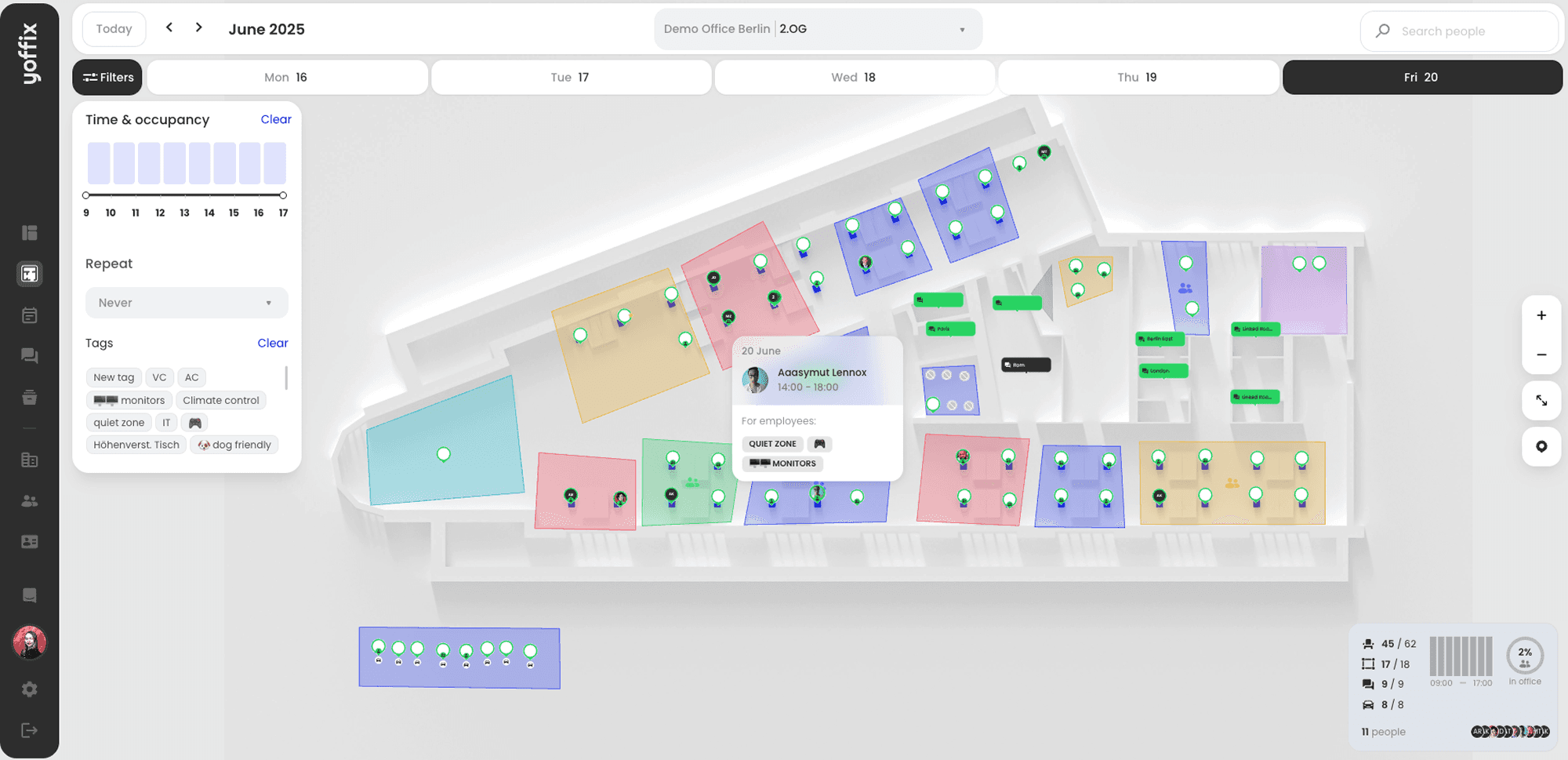
While Condeco was built primarily around workplace and real estate administration, Yoffix is designed for the realities of hybrid work. It combines workplace booking, office attendance management, team coordination, and workplace intelligence in one platform.
Employees can book desks, rooms, parking spaces, and other resources directly through Microsoft Teams, Outlook, the web, or the mobile app. Before choosing an office day, they can see when teammates plan to be on-site, book a desk close to colleagues, and coordinate shared office days.
The platform includes:
Desk booking with floor plan views and hot-desking support
Room booking with an Outlook add-in and automatic synchronization
Team scheduling with shared visibility of who is coming in and when
Parking and resource booking
Visitor management
Workplace analytics showing occupancy patterns and utilization rates
Why companies choose Yoffix over Condeco
Built for hybrid team collaboration: Yoffix goes beyond desk and room booking by helping employees see when colleagues will be in the office, coordinate team days and make better decisions about when to work on-site.
Integrated attendance management: Organizations can define office attendance policies, manage anchor days, track compliance and understand actual office presence without using separate systems.
Native Microsoft 365 integration: Yoffix works directly within Microsoft Teams and Outlook and supports Microsoft Entra ID, single sign-on and automated user synchronization.
Modern and intuitive user experience: Employees can find and book the right workplace in just a few clicks, reducing training requirements and improving adoption.
Fast and straightforward implementation: Standard deployments can be completed within days rather than requiring a lengthy implementation project. Workplace managers can configure locations, booking rules and user permissions without constant IT or consulting support.
All-in-one workplace platform: In addition to desk and room booking, Yoffix supports parking, visitor management, resources, catering, service tickets, office events and workplace communication.
Flexible without unnecessary complexity: Companies can create team zones, priority booking rights, check-in rules, automatic booking releases and location-specific policies without maintaining an enterprise real estate system.
Actionable workplace intelligence: Utilization, attendance and collaboration analytics help organizations optimize office capacity, reduce real estate costs and improve the employee workplace experience.
European privacy and compliance: Yoffix is developed in Europe, hosted in Germany and designed around GDPR and European works council requirements. ISO 27001-certified information security processes support enterprise deployments.
Transparent and modular pricing: Companies select only the capabilities they need and can add further modules as their workplace requirements evolve.
Implementation takes as short as one day to a week for complex cases. Pricing is modular and transparent: €1.50 per user per month for desk booking, with additional modules for room booking, parking, and visitor management available as needed. Regional hosting in EU data centers meets GDPR requirements, and the vendor provides works council documentation as standard.
Best fit: mid-market organizations (500 to 5,000 employees) in the EU prioritizing Microsoft ecosystem integration, rapid deployment, and transparent pricing with strong privacy compliance.
Microsoft Places is a lightweight coordination layer built directly into Microsoft 365. Released in 2024, it shows employees which teammates plan to work from the office on specific days and integrates with Outlook calendar to display office versus remote work locations. The tool is free with Microsoft 365 E3/E5 licenses and requires no separate procurement. Room booking works through existing Outlook calendar functionality without additional configuration. The limitation is depth: Places handles team coordination and basic room reservations but does not include desk booking, floor plan views, parking management, visitor registration, or detailed workplace analytics.
Best fit: organizations already using Microsoft 365 that need basic team coordination without investing in dedicated workplace management software.
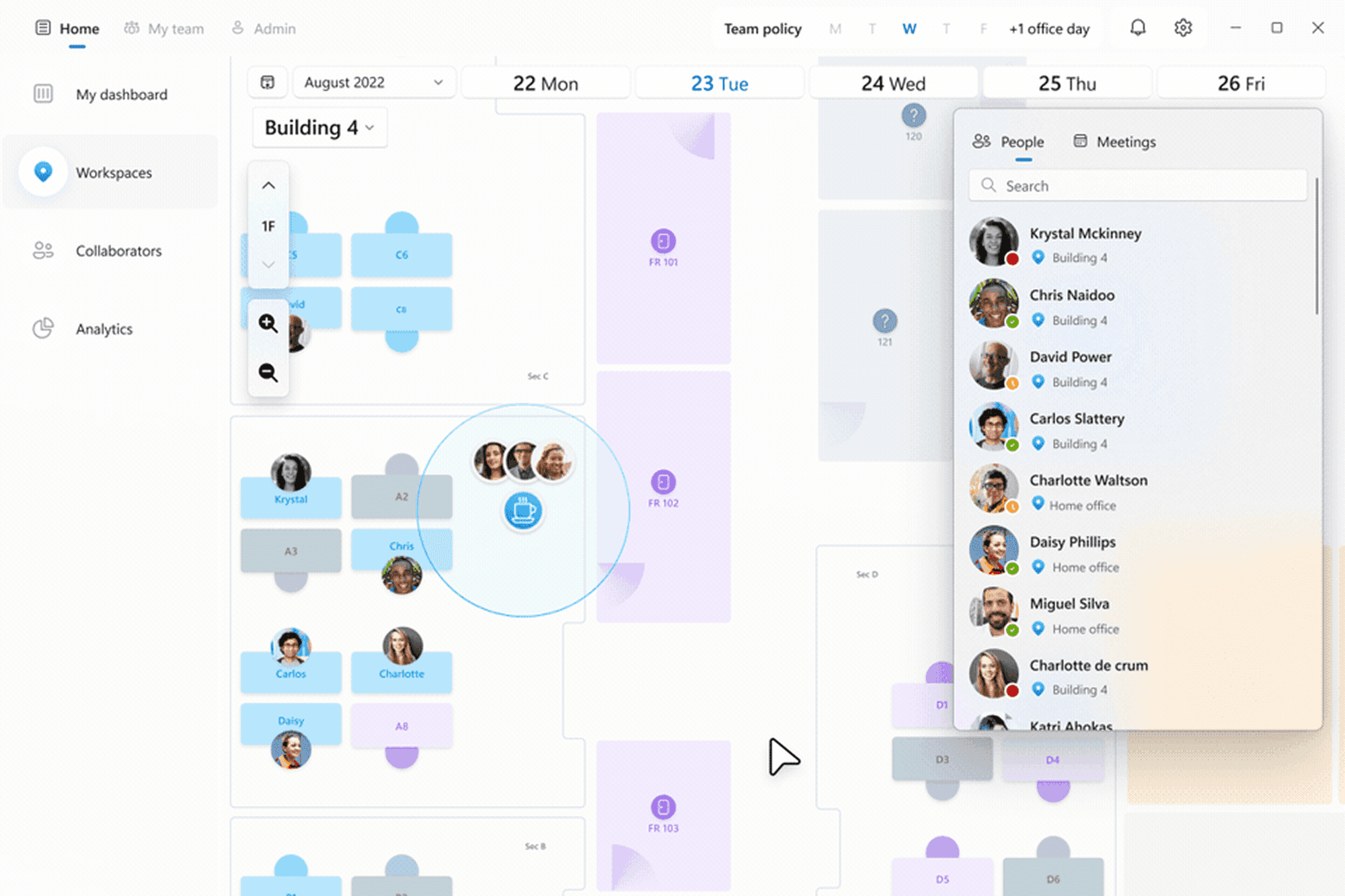
Robin focuses on meeting room management with hardware integrations. The platform includes room displays, occupancy sensors, and detailed room analytics showing utilization patterns and no-show rates. Room booking works through a standalone app with Outlook calendar sync, and the system supports check-in enforcement with automatic release of unused reservations. Desk booking exists but is secondary to room management functionality. Implementation typically takes 6 to 12 weeks depending on hardware deployment complexity. Pricing is per-room rather than per-user, which works well for organizations prioritizing conference room optimization over desk coordination.
Best fit: organizations with meeting room utilization problems and budget for hardware sensors, less focused on desk booking or team coordination.
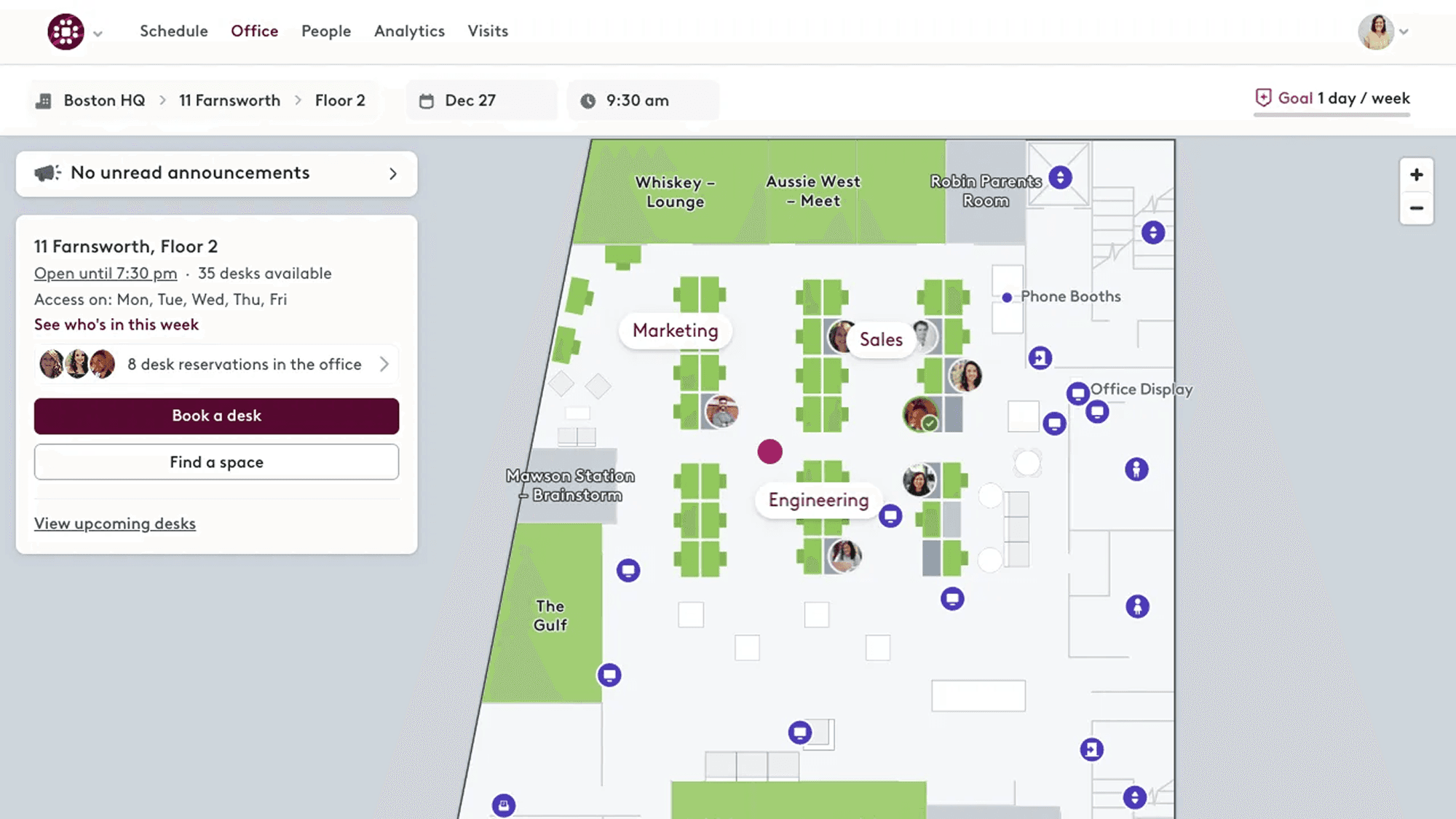
Envoy specializes in visitor management and front-desk operations. The platform pre-registers guests, sends arrival notifications to hosts, prints visitor badges, and maintains GDPR-compliant visitor logs. Desk and room booking features exist but are less developed than visitor workflows. The system includes iPad-based visitor kiosks, delivery tracking, and evacuation lists for compliance. Implementation takes 4 to 8 weeks including kiosk hardware setup and badge printer integration. Pricing is per-location with additional costs for hardware.
Best fit: organizations with high visitor volumes, strong security requirements, or reception desk operations that need digitization, less focused on employee desk booking.
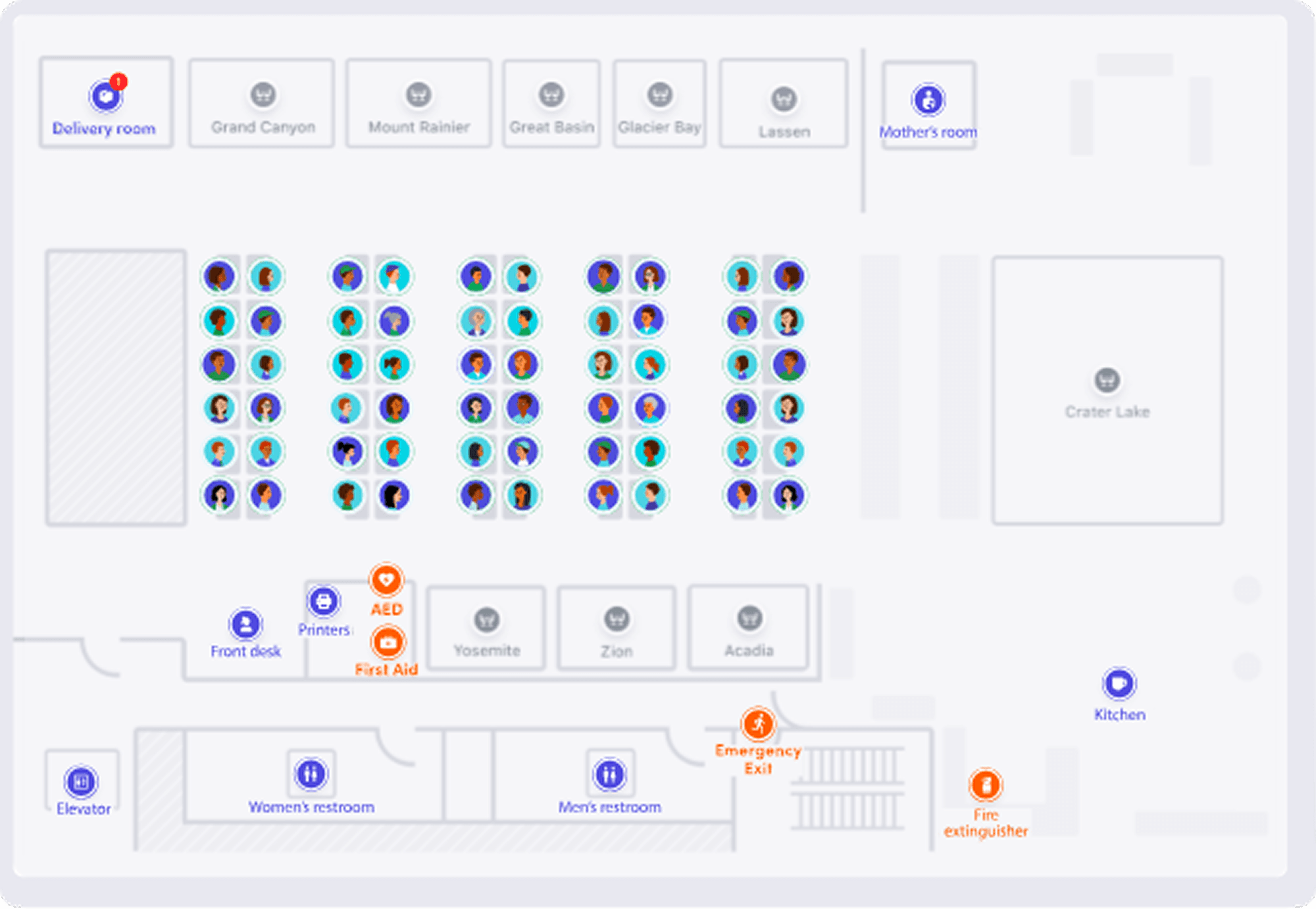
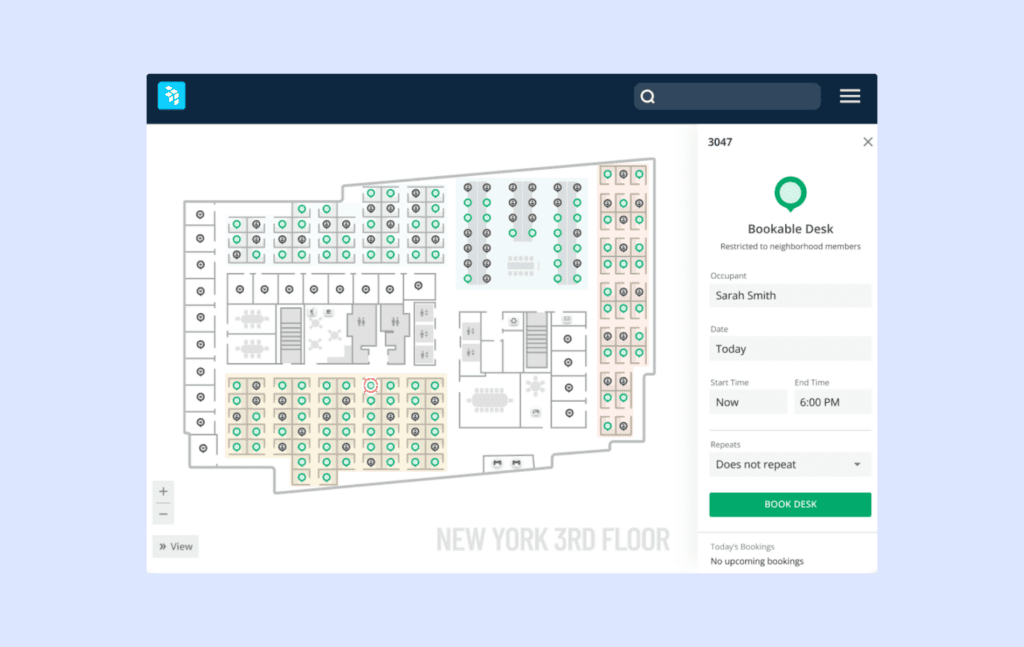
OfficeSpace is a full workplace management platform built for organizations that need more than basic booking. Employees can book desks and meeting rooms from mobile, desktop, Slack, Microsoft Teams, and Outlook, while workplace teams manage interactive floor plans, neighborhood-based seating, visitor workflows, move management, and real workplace analytics from one system. The tradeoff is complexity and buying model: OfficeSpace is positioned more like an enterprise workplace platform than a lightweight booking layer, with implementation typically measured in weeks rather than days and pricing provided on a quote basis rather than as a simple self-serve monthly rate.
Best fit: large enterprise organizations managing multiple locations, more complex space planning, and a dedicated IT team.
Making the switch without disrupting operations
Switching workplace management platforms during active office operations requires careful timing and clear communication to avoid booking conflicts, data loss, or employee confusion. The goal is continuity, not disruption.
Start by establishing a parallel-run period where both the outgoing and incoming systems operate simultaneously for two to four weeks. This allows employees to familiarize themselves with the new platform while existing bookings remain visible in the legacy system. Export booking data from Condeco in advance—most platforms support CSV export of reservation history, floor plan configurations, and user assignments. The new platform should import this data to maintain continuity of room names, desk assignments, and team zones employees already recognize.
Timing matters significantly for organizations with works council agreements or union consultation requirements common in Europe. Before procurement decisions are finalized, engage the works council with documentation showing how the new system handles employee data, what analytics are collected, and how privacy controls are configured. Yoffix provides standard works council documentation covering data processing agreements, GDPR compliance certifications, and anonymous mode configurations that satisfy typical consultation requirements. Early involvement avoids delays during rollout.
Communication should focus on what stays the same rather than what changes. If employees currently book desks through Outlook calendar, show them that the new system also works through Outlook calendar with the same booking workflow they already know. If room reservations currently appear in Teams channel calendars, demonstrate that the new platform maintains that visibility without requiring employees to check another location. The less behavioral change required, the faster adoption happens.
For Microsoft-native platforms like Yoffix, rollout typically follows this timeline: week one (admin setup, floor plan upload, SSO configuration through Microsoft Entra ID), week two (pilot group testing with 20 to 50 employees across different teams and locations), week three (organization-wide rollout with in-app guidance and email announcements), week four (monitor adoption metrics and adjust configurations based on early usage patterns). This compressed timeline works because Microsoft integration is pre-built and employees already know how to use Teams and Outlook—they are learning a workplace booking workflow, not a completely new application.
One common mistake is over-communicating feature lists instead of solving the coordination problem employees actually experience. Employees do not care that the new platform has 47 features. They care whether they can see which teammates are coming in before choosing their own office days, and whether booking a desk takes 30 seconds or five minutes. Focus communication on those practical outcomes, and adoption follows naturally.
Frequently Asked Questions
When should we stick with Condeco instead of switching?
Stick with Condeco if your main requirement is complex real estate infrastructure management rather than day-to-day hybrid work coordination. If you manage multiple countries, badge systems, building integrations, and portfolio-level reporting, Condeco may still fit. But if the real need is helping employees coordinate team office days, book desks quickly, and work inside Microsoft Teams and Outlook, a more modern alternative like Yoffix is often a better match, particularly for organizations in the 500 to 5,000 employee range.
What should we evaluate first in a Condeco alternative?
Start with the workflow employees and workplace managers will actually use. Can employees book desks and meeting rooms from Microsoft Teams or Outlook? Can they see when colleagues plan to come in before deciding on their own schedule? Can workplace managers update policies without relying on IT every time? That is where newer platforms such as Yoffix tend to stand out: the goal is practical coordination, not another layer of admin complexity.
Why does Microsoft integration matter so much?
Because friction usually shows up in adoption before it shows up in a business case. If employees have to leave Teams or Outlook and open a separate system just to check attendance or make a booking, usage tends to drop, and reviewers on Capterra specifically flag Condeco's Exchange synchronization as a source of that friction. A platform like Yoffix works natively in that environment through a Microsoft Teams app, Outlook integration, and two-way calendar sync, which keeps the daily process closer to what employees already know.
What makes a platform a good fit for mid-market organizations?
A good fit is a platform that solves the coordination problem without adding enterprise-level overhead. Mid-market organizations, typically 500 to 5,000 employees and up to 10,000 in some cases, usually need clear booking workflows, visible team schedules, GDPR-compliant administration, and enough workplace analytics to make office decisions with full transparency, without the IT dependency and portfolio-scale complexity that larger platforms are built around. That is why many teams look for a platform like Yoffix: it covers the operational needs without forcing them into a heavier real estate system than they actually need.
What should we plan before switching platforms?
Plan around continuity, not just configuration. Review what booking data needs to move, keep room and desk names consistent, involve privacy and employee representation stakeholders early, and make sure employees understand what will stay familiar. If you move to Yoffix, the advantage is that the daily workflow can stay close to the Microsoft tools employees already use, which reduces change friction during rollout.
What is the biggest mistake organizations make when choosing a replacement?
They compare feature lists instead of comparing operating models. A platform can look strong on paper and still create friction if employees avoid it or if workplace managers need constant IT support to make routine changes. What actually works is choosing the platform that fits how your office runs today. For many mid-market organizations, Yoffix fits that pattern: lower admin overhead, and a workflow that stays close to existing Microsoft habits.
Looking to switch from Condeco? Get your offer today
![Blog article cover showing the title "Top Alternatives to Condeco [2026]" with a "Review" badge, alongside screenshots of the Condeco workspace booking software interface on a light purple background.](https://framerusercontent.com/images/7FAhxmIsQGasMzHAcf7pUS5XVz4.png?width=1200&height=630)