Automate Desk Booking and Hybrid Attendance with HRworks
HRworks users can connect their HR system directly to Yoffix to eliminate the gap between HR data and workplace management. Once connected, employee profiles and absence statuses sync automatically via webhooks — meaning any change in HRworks, a new hire, a sick day, a vacation approval, takes effect in Yoffix in real time. Yoffix's desk sharing software for HRworks ensures your desk booking, parking management, and hybrid attendance always reflect what's actually happening in your HR system, with no manual intervention required.
What the HRworks Integration Does
Once connected, Yoffix will:
Import employee profiles from HRworks automatically
Sync absence statuses in real time via webhooks — changes in HRworks take effect in Yoffix immediately
Reflect employee availability in desk booking, room scheduling, and attendance views
Automatically onboard new employees added in HRworks — with your choice of automatic or manual invitation
Optionally sync office bookings from Yoffix back to HRworks
How to Connect HRworks with Yoffix
Setup takes a few minutes and requires no IT involvement or coding.
1. Open HRworks API settings
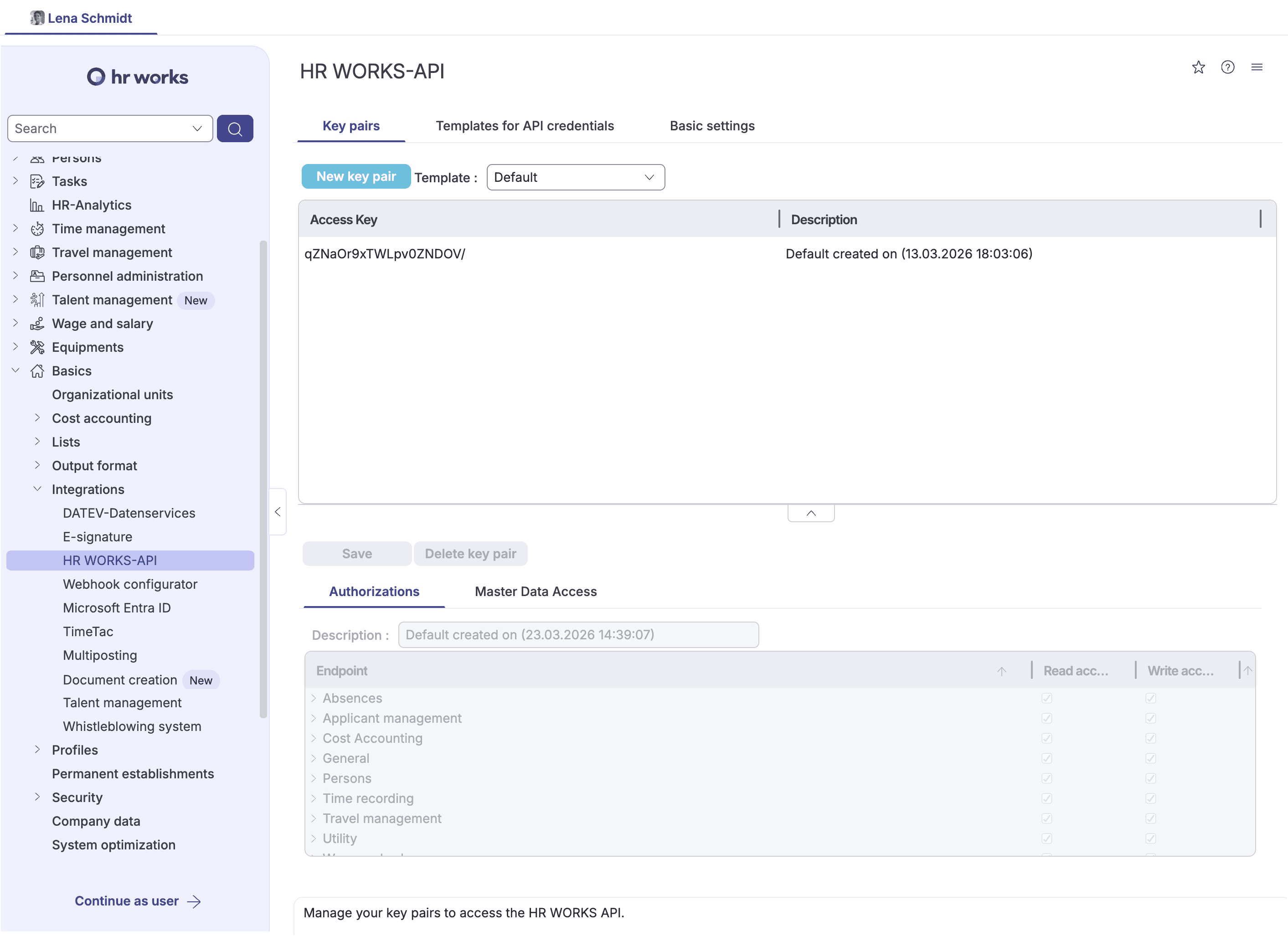
In your HRworks account, go to Basics → Integrations → HR Works API in the left menu.
2. Create a new API key pair
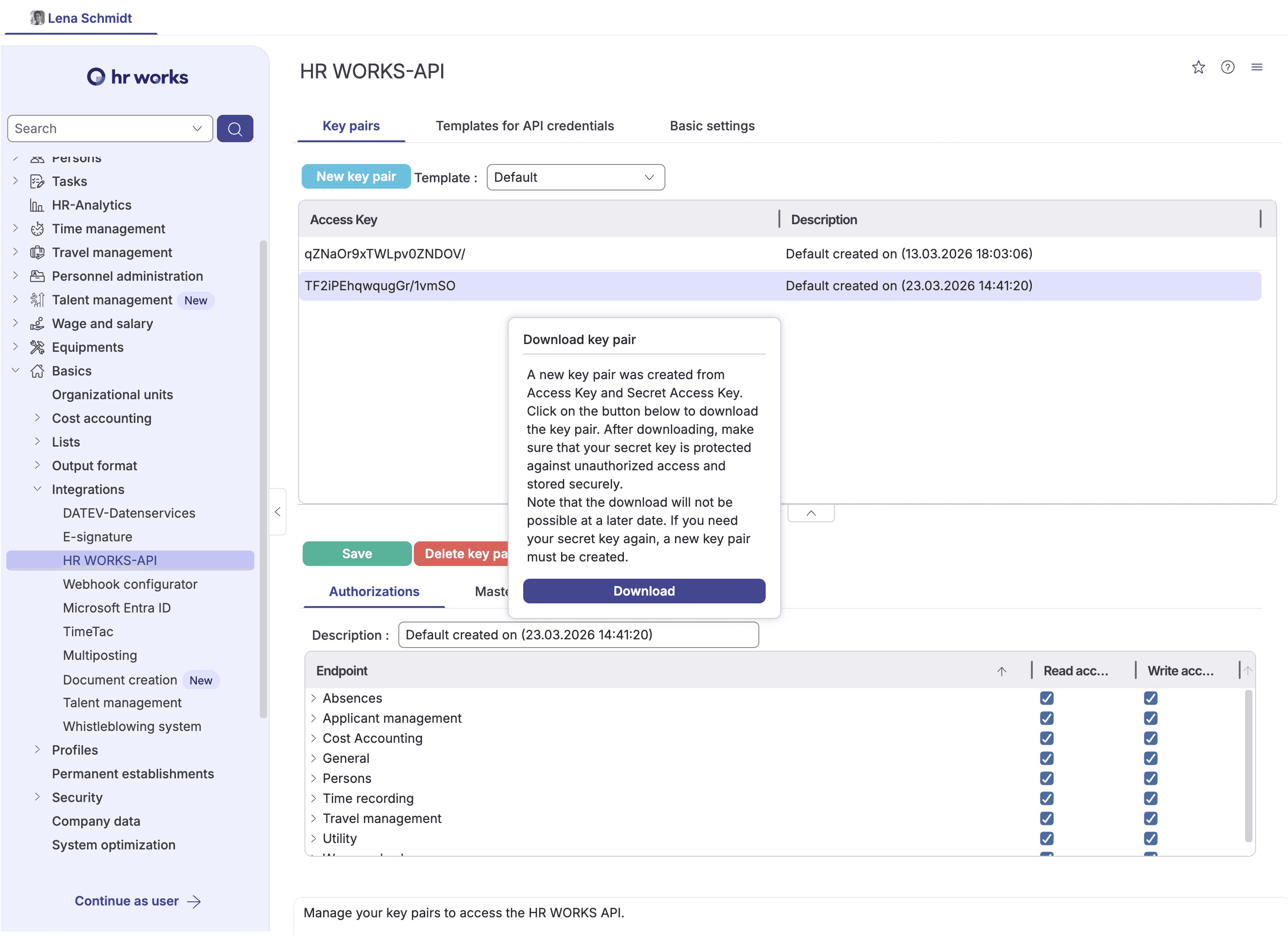
Click New key pair.
Leave the template set to Default.
Click Create.
A download popup will appear — click Download to save the credentials file.
⚠️ Important: The downloaded file contains your Access Key and Secret Access Key. You can only download this file once. Store it securely before closing the popup — if the file is lost, you will need to delete the key pair and create a new one.
3. Configure API permissions
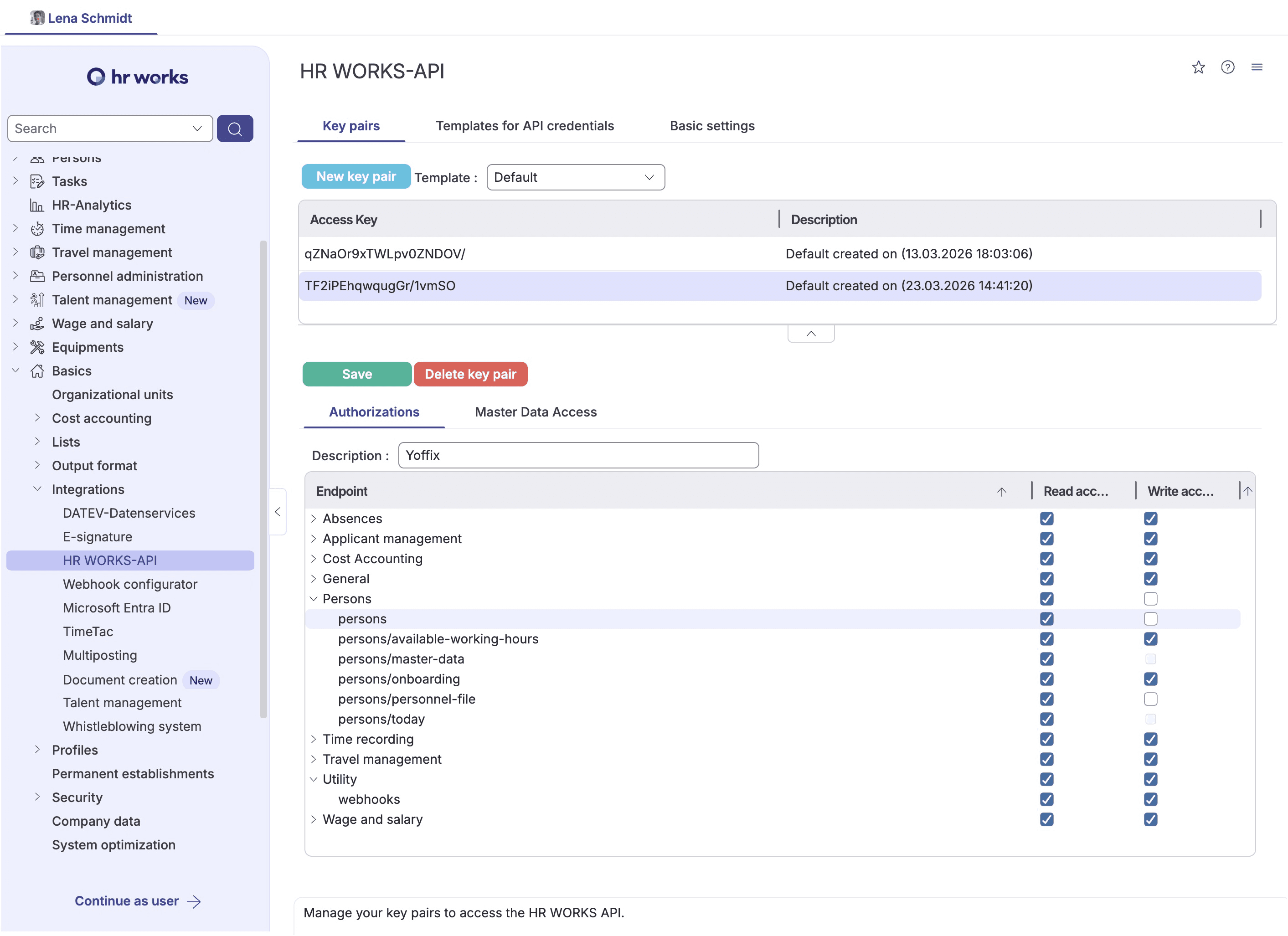
Scroll to Authorizations and enable the following permissions:
Category | Permission | Access |
|---|---|---|
Persons | persons | ✅ Read |
Persons | persons/master-data | ✅ Read |
Absences | absences | ✅ Read |
Absences | absences/absence-types | ✅ Read |
Utility | webhooks | ✅ Read + Write |
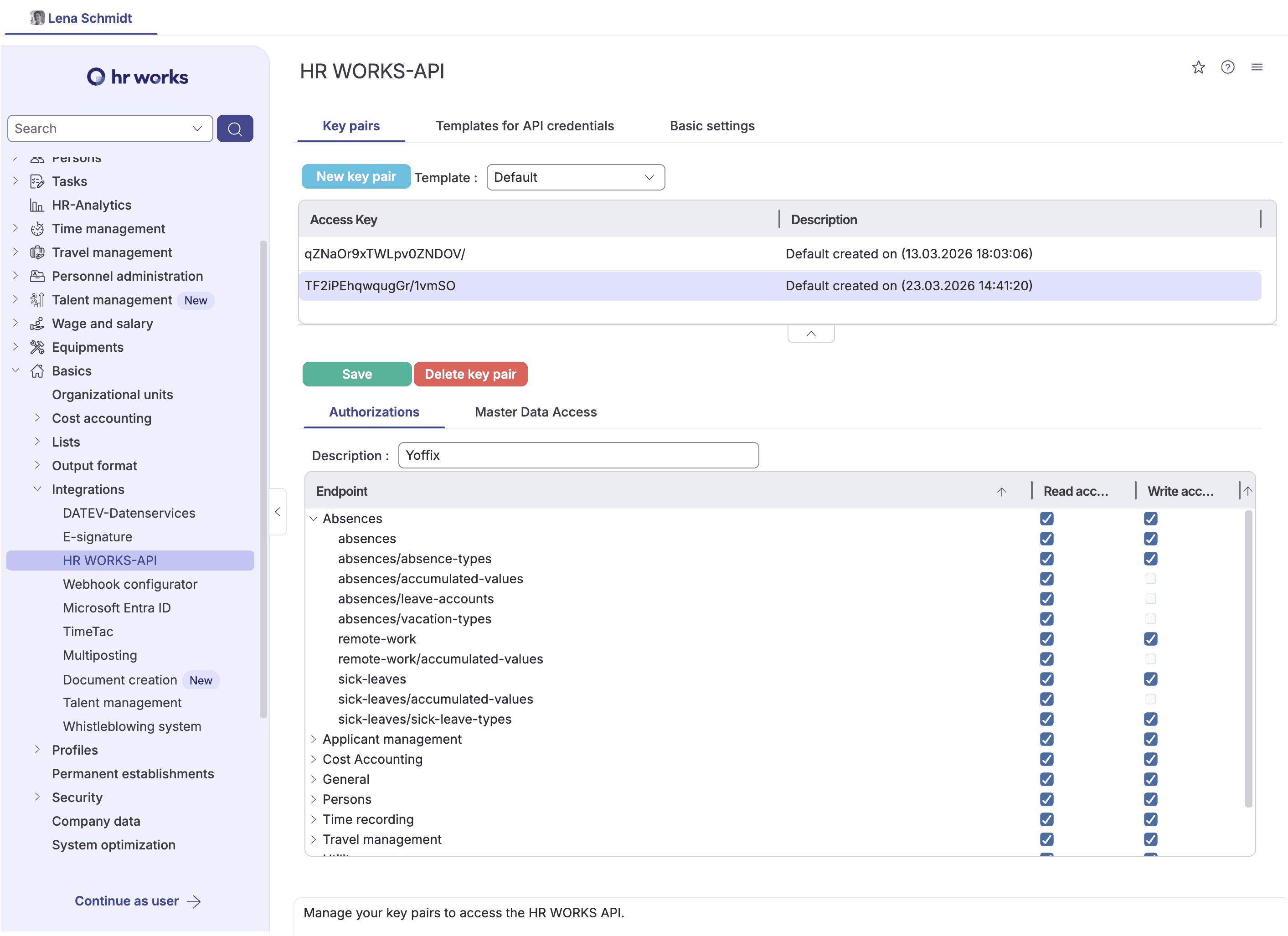
Click Save.
4. Connect in Yoffix
In your Yoffix admin account, go to: Profile icon → Settings → Integrations → User Sync → HRworks
Paste your Access Key and Secret Access Key into the corresponding fields and click Connect. Webhook sync begins immediately after a successful connection.
Why Connect HRworks with Yoffix?
Real-time sync via webhooks — unlike polling-based integrations, changes in HRworks are reflected in Yoffix immediately, not on a delay
Flexible employee onboarding — choose whether new hires are invited to Yoffix automatically or held for manual review
No wasted desks — absent employees are automatically removed from the booking pool
No manual attendance adjustments — absence data flows through without admin intervention
GDPR-compliant — all data is processed and stored within the EU; ISO 27001-aligned
Troubleshooting
Sync didn't start after connecting
Confirm that the Access Key and Secret Access Key were entered correctly in Yoffix
Verify that all five required permissions are enabled in HRworks, including webhooks Read + Write
Ensure the integration is active under Settings → Integrations in Yoffix
Credentials file was lost after download The key pair can only be downloaded once. Return to Basics → Integrations → HR Works API in HRworks, delete the existing key pair, create a new one, and update the credentials in Yoffix.
Need help? Contact us at support@yoffix.com.
Frequently Asked Questions
Does HRworks integrate with desk booking software?
Yes. Yoffix integrates natively with HRworks using webhook-based real-time sync, supporting automated desk sharing, room booking, absence-based availability, and hybrid attendance management.
How is the HRworks integration different from other HR sync integrations?
The HRworks integration uses webhooks, meaning changes in HRworks — new hires, absences, status updates — are reflected in Yoffix immediately rather than on a scheduled sync cycle. You also have direct control over whether new employees are onboarded automatically or manually.
How long does it take to set up?
A few minutes. Create an API key pair in HRworks, enable the required permissions, paste the credentials into Yoffix, and webhook sync starts immediately. No IT work required.
Is the integration GDPR-compliant?
Yes. The integration uses HRworks's official API, transfers data over encrypted connections, and stores all data within the EU. Yoffix is ISO 27001-aligned and fully GDPR-compliant.