Meeting Room Displays for on-the-spot booking

Meeting Room Displays for on-the-spot booking

Meeting Room Displays for on-the-spot booking

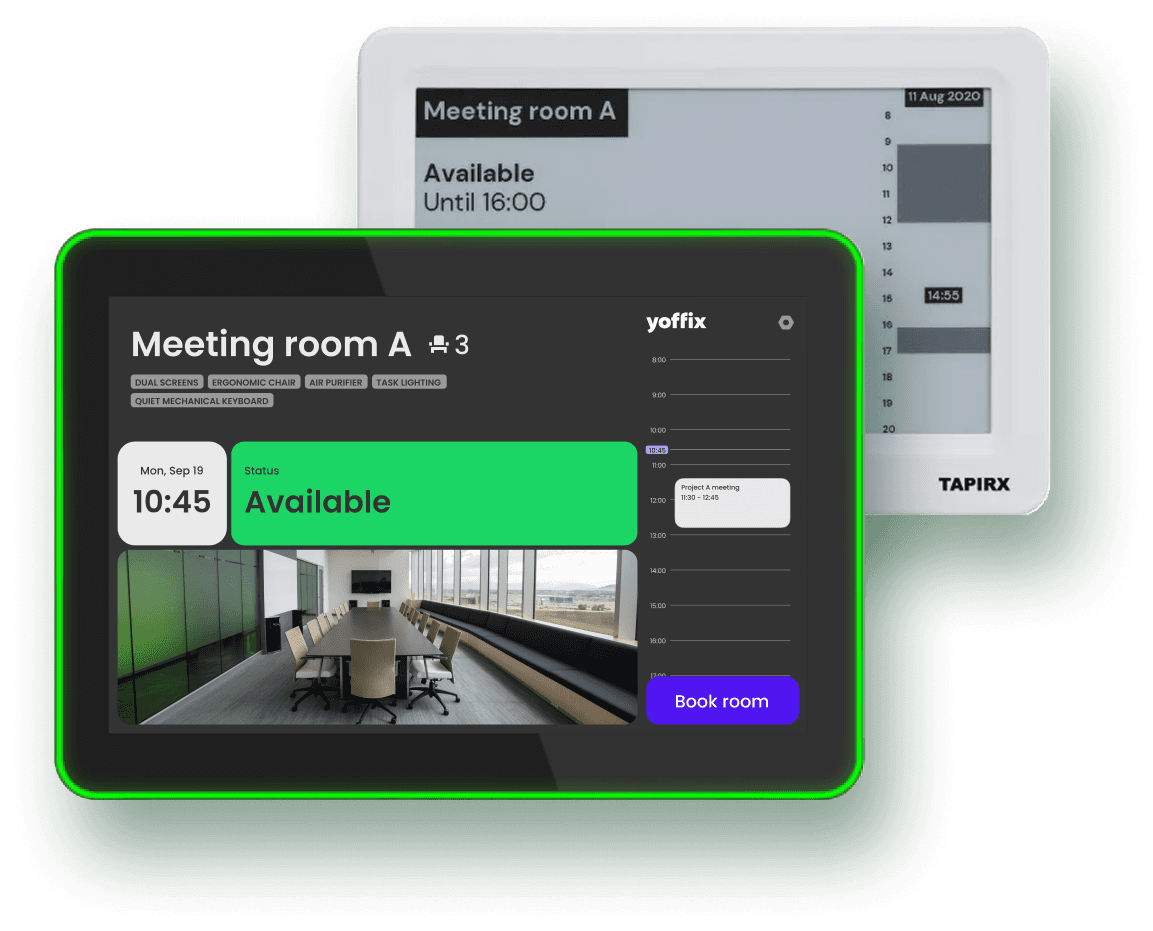
Two powerful display options fully integrated with Yoffix Room Booking.

Microsoft Partner

ISO-27001

Enterprise-ready
4.8

4.8

Room displays

Room displays

Room displays

Why use Yoffix meeting room displays?

Instant room status

Everyone instantly sees which rooms are booked, free, or soon occupied — boosting room utilization.

Fewer interruptions

LED status bars and clear room info eliminate hallway confusion and reduce meeting disruptions.

Booking on the spot

Book the room instantly from the display without opening your calendar or app for ad-hoc meetings.

Check-in & Auto-Release

Check-ins reduce no-shows, prevent ghost meetings, and keep schedules accurate.

Easy Mounting

Stick the display right on the glass or wall securely and without drilling.

Microsoft 365 integration

Room displays integrate seamlessly with the Microsoft 365 environment to ensure status updates in real-time.
Choose the display that fits your office

Choose the display that fits your office

Find available rooms, check schedules, and book on the spot or check-in—all in one simple, connected platform.

Find available rooms, check schedules, and book on the spot or check-in—all in one simple, connected platform.

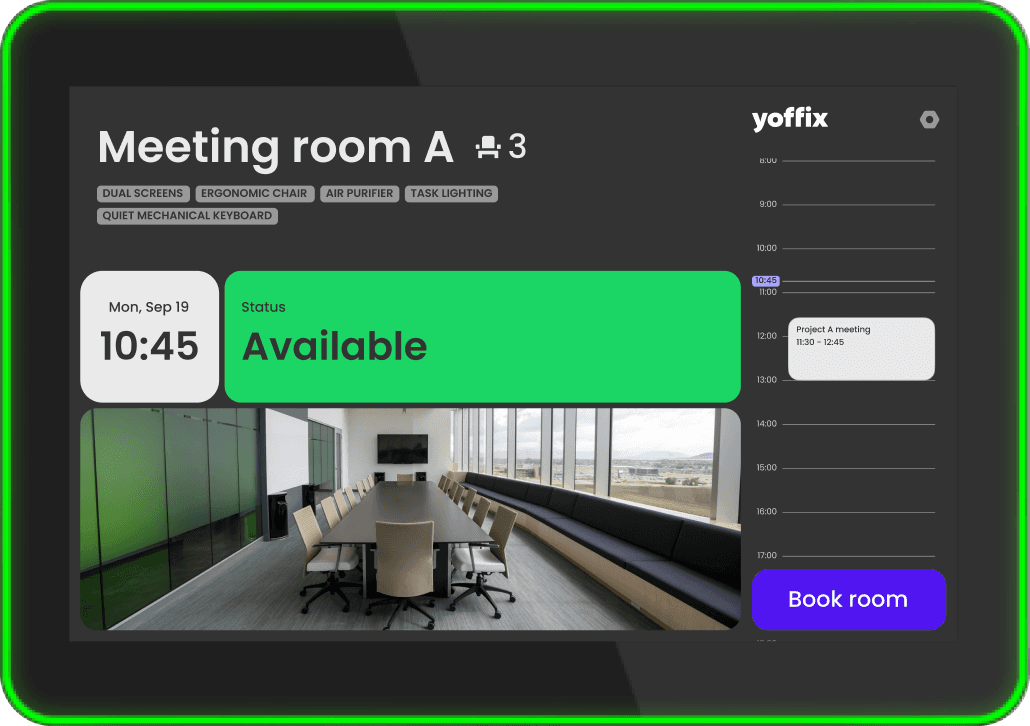
Full-color Android
meeting room display

Full-color Android
meeting room display

Technical specifications

Technical specifications

  • 10.1" Android 13 Panel PC

  • WiFi (802.11 a/b/g/n/ac) | Bluetooth

Key features

Key features

Detailed visibility with an LED status bar

One-tap booking right on the screen

Built-in NFC for check-ins

PoE

Plug & Play

What’s in the box

What’s in the box

10.1-inch touchscreen device

USB-C cable

Onboarding information

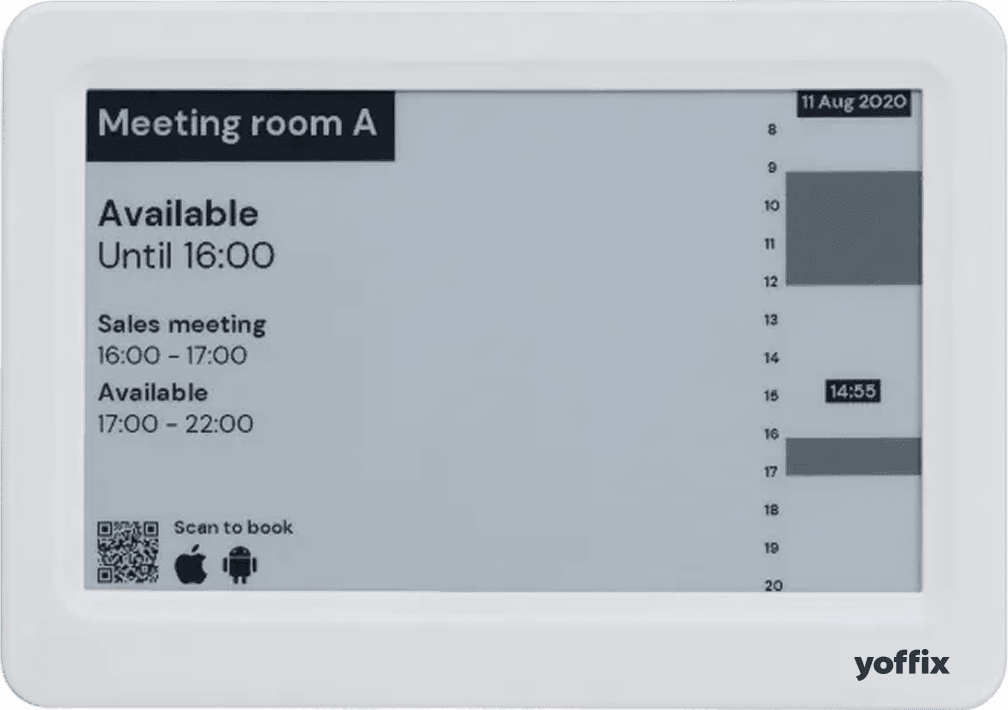
Wireless E-Ink

meeting room display
Technical specifications

Technical specifications

  • Touch 7.5" e-ink display, 800x480px resolution

  • 195x137x10mm, 290g

  • Wi-Fi: 802.11, WPA2-PSK, WPA2-Enterprise

Key features

Key features

Paper-like readability

Book and check-in instantly

Ultra low-power usage – 2+ years on one charge

Easy mounting on glass walls

Wireless

What’s in the box

What’s in the box

7,5-inch touchscreen device

Stickers for glas mounting

Onboarding information

Upgrade your meeting room infrastructure

Upgrade your meeting room infrastructure

Find rooms, manage access, add services, and keep every meeting on track — all in one simple, connected platform.

Find rooms, manage access, add services, and keep every meeting on track — all in one simple, connected platform.

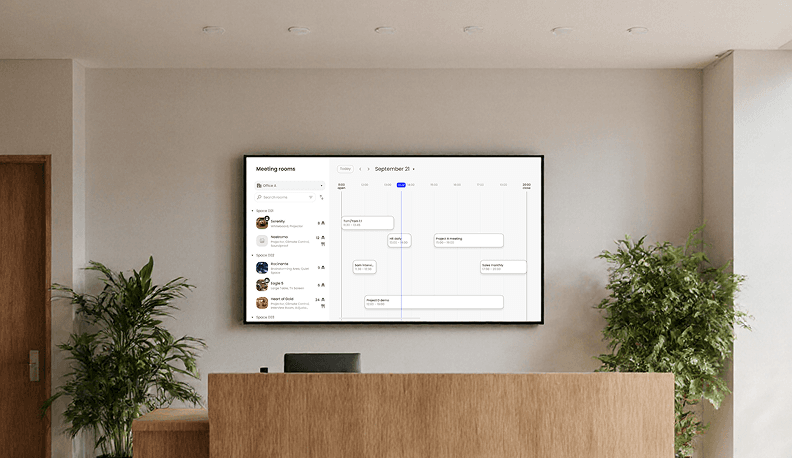
tv

digital signage

Use any smart TV to show live rooms' availability. See which spaces are free, which are booked, and plan your meetings without opening a single app.
IoT

Occupancy Sensors

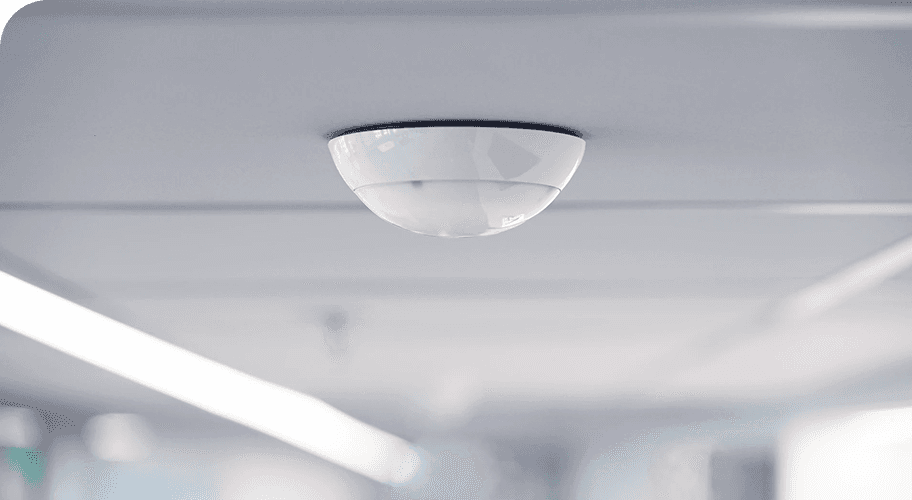
Use sensors instead of manual check-ins to detect the presence of people in a meeting room, accurately and with full privacy.
Designed to deliver

real workplace impact

Designed to deliver

real workplace impact

Designed to deliver

real workplace impact

up to 40%

up to 40%

up to 40%

higher room utilization

80%

80%

80%

fewer booking conflicts

75%

75%

75%

reduction in no-shows

“Our admins love the control. Our employees love the simplicity of Yoffix. It’s rare to satisfy both HR and IT needs at the same time.”

Director of IT Operations

Manufacturing

Let's find the best display for your workpace

Discover how Yoffix helps you book rooms, manage space, and keep your office organized.

  • The ideal tool for workplace scheduling

    Stefan

  • Very simple & helpful tool

    Udo

  • Intuitive, nice and modern UX!

    Sebastian

  • Clearly arranged & very functional --> Top Tool

    Sergej

  • Fantastic tool - we and our tenants are very happy

    Michael

  • The Capabilities of yoffix Are Incredible

    Ruth

  • A Smooth Solution For Digitizing Workplaces

    Faith

  • An Effective Way to Boost Productivity

    Samuel

Top capabilities of Yoffix Room Booking

Booking rules

Define how and when the meeting room can be booked

Room attributes

Tag the room and make it easy for your employees to find the right one

Add catering

Tea or coffee? Let your employees choose refreshments and inform FM services immediately

Add equipment

Need special equipment for the meeting? Book it with one click

Two-way calendar sync

Sync and update the meetings in real-time with Microsoft or Google calendar

Outlook Add-in

Find and book a meeting room without leaving Microsoft Outlook

Booking rules

Define how and when the meeting room can be booked

Room attributes

Tag the room and make it easy for your employees to find the right one

Add catering

Tea or coffee? Let your employees choose refreshments and inform FM services immediately

Add equipment

Need special equipment for the meeting? Book it with one click

Two-way calendar sync

Sync and update the meetings in real-time with Microsoft or Google calendar

Outlook Add-in

Find and book a meeting room without leaving Microsoft Outlook

Get a custom quote for your workplace

Every office is different. Tell us about your setup – the number of users, the features you need, or any other special requirements. We'll send you a tailored proposal with pricing, implementation timeline, and answers to your questions.

Response within 24 hours

Custom pricing based on your needs

No obligation

FAQ – Yoffix Room Displays

What is a meeting room display and how does it work?

A meeting room display is a digital screen mounted outside or inside a meeting room that shows real-time availability, current bookings, and allows employees to book the space instantly. Most modern room displays are wireless and sync with your room booking software in real time, so availability information is always current. Employees can tap the display to check availability, book a room, or check in to a confirmed reservation. Display types vary — some use E-Ink technology for low power consumption, while others use standard LED screens. Either way, the goal is the same: make it frictionless for people to see what's available and book what they need.

What is a meeting room display and how does it work?

How do wireless room displays improve booking accuracy?

Wireless room displays eliminate the guesswork of whether a meeting room is actually available. Instead of checking a calendar on their phone or computer, employees see live availability at the point of decision — right outside the room. This reduces calendar confusion, prevents accidental double-bookings, and ensures people book the correct space. With one-tap booking directly from the display, there's no room for error in the booking process itself. Studies show that visible availability increases booking accuracy by up to 85%.

How do wireless room displays improve booking accuracy?

What are the benefits of room displays for meeting rooms?

Room displays offer several advantages for meeting room management. They reduce booking friction by showing availability instantly without requiring employees to check multiple systems. Displays decrease no-shows because people are reminded of their booking when they approach the room. They also improve space utilization by making it obvious which rooms are available, encouraging people to actually book and use the spaces. Modern wireless room displays require minimal IT setup and maintenance, and options like E-Ink technology offer ultra-low power consumption, running for years without battery replacement.

What are the benefits of room displays for meeting rooms?

How do room displays reduce no-shows and no-call absences?

When meeting room availability is visible and booking is frictionless, people are more likely to follow through on their reservations. The display serves as a visual reminder when employees approach the room, reducing forgotten or overlooked meetings. Additionally, when booking takes one tap instead of navigating through calendars and confirmation emails, commitment to the booking increases. Companies using room displays report up to 75% reduction in no-shows because the experience is so simple and the room status is impossible to miss.

How do room displays reduce no-shows and no-call absences?