How to connect Yoffix Add-in for Microsoft Outlook
The Yoffix Microsoft Outlook Add-in allows you to search and book meeting rooms directly inside your Outlook calendar.
It helps you find the right room faster and keeps all room bookings synchronized with Yoffix and Microsoft 365.
What the Outlook Add-in Does
Once installed, the Yoffix Outlook Add-in allows you to:
Search available meeting rooms directly in Outlook
Filter rooms based on availability
Book rooms without switching to another tool
Synchronize room bookings with Yoffix in real time
This ensures consistent room scheduling across Outlook and your Yoffix workspace.
How the Outlook Add-in Works
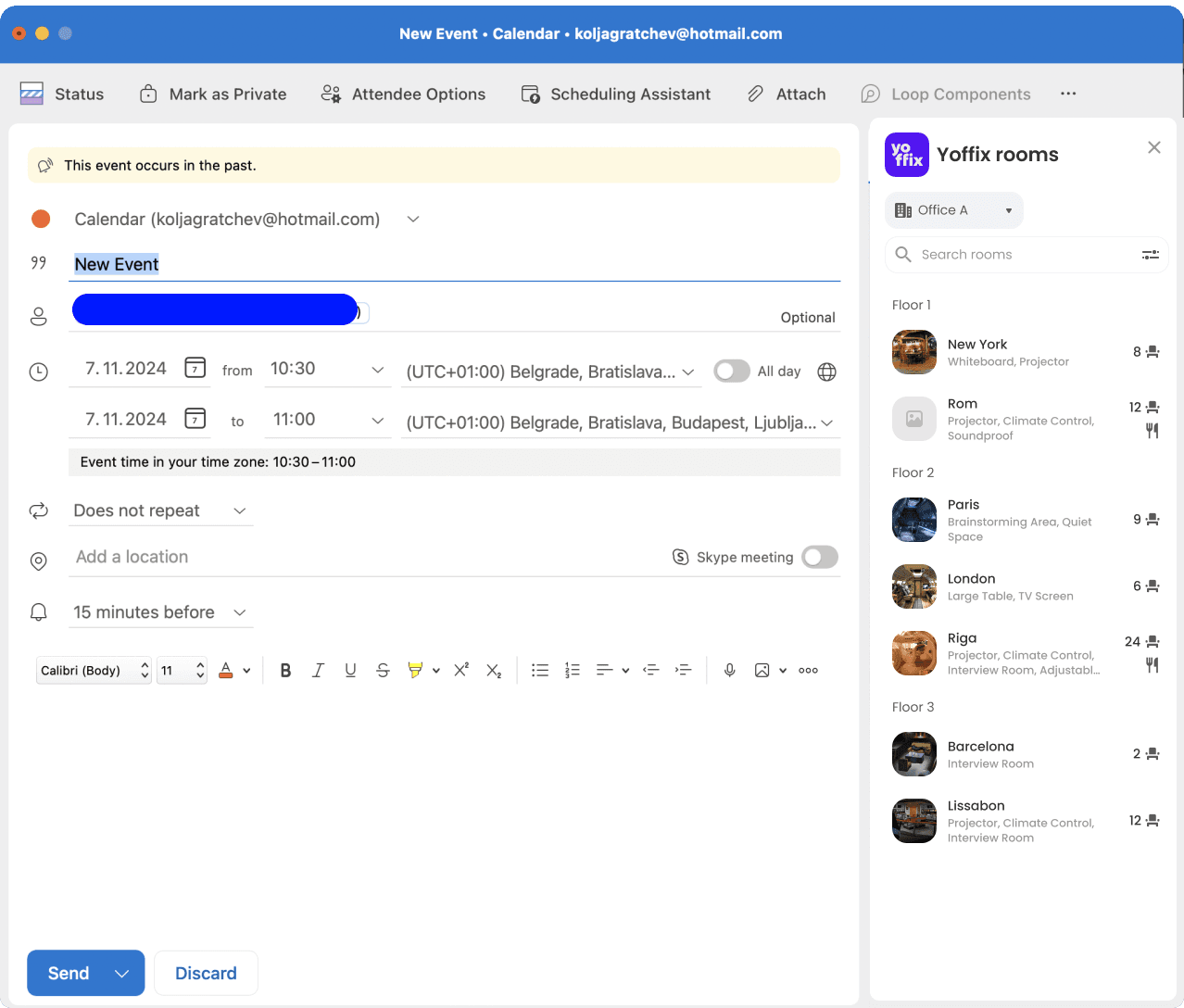
The Add-in is integrated into your Outlook calendar interface.
When creating or editing a meeting:
Open the Yoffix Add-in
Search for available rooms
Select and reserve the room
Save the meeting
The booking is automatically synchronized with Yoffix.
Installation
The Yoffix Outlook Add-in is available within Microsoft 365.
Installation may require admin approval depending on your organization’s policies.
Once installed, the Add-in appears directly inside your Outlook meeting interface.
No additional configuration is required for standard room booking.
Why Use the Outlook Add-in?
Using the Yoffix Outlook Add-in allows you to:
Book meeting rooms without leaving Outlook
Reduce booking conflicts
Improve room visibility and availability
Keep Microsoft 365 and Yoffix fully aligned
It completes your Microsoft 365 integration and streamlines workplace scheduling.
For more details, contact our support team.