Microsoft Places is Microsoft’s approach to workplace coordination for hybrid teams. It helps employees see when colleagues plan to be in the office and allows basic desk and room reservations inside Microsoft 365.
For many mid-sized companies in the EU, this is a useful starting point. However, as hybrid work becomes operational rather than experimental, companies often discover that Microsoft Places does not cover all day to day workplace needs.
If you’re evaluating options for 2026 and beyond, it’s worth understanding:
what Microsoft Places actually covers,
where it reaches its limits,
how costs scale in practice,
and which alternatives make sense depending on your size, setup, and hybrid maturity.
This guide compares Microsoft Places alternatives with a focus on Microsoft-native workflows, hybrid desk sharing, and scalable workplace management including Yoffix, Eptura (ex Condeco), Robin, Envoy, and Waldo Booking.
Key takeaways
1. Microsoft Places and Waldo are a good fit for companies with basic booking needs, limited scale
Microsoft Places works well for organizations with simple desk booking requirements, a relatively small number of employees, and sufficient IT resources to manage Exchange configuration and licensing. As headcount grows or hybrid policies become more complex, costs can increase quickly due to Teams Premium requirements, making it less suitable for larger mid sized organizations.
2. Yoffix covers mid-sized Microsoft 365 companies in the EU, from 1.5 EUR per user per month
Companies with 500 to 5,000 employees that run hybrid offices and use Microsoft 365 typically need comprehensive desk sharing, hybrid attendance rules, and the option to add room, parking, asset booking, or visitor management. Yoffix is designed specifically for this setup and integrates directly into Microsoft Teams and Outlook without additional costs.
3. Eptura (ex. Condeco) is better suited for large enterprises with dedicated real estate or IT teams to support the system on a daily basis
These platforms focus on corporate real estate and facilities management at scale. They are powerful, but often too complex, inflexible, and heavy for mid sized companies that want fast rollout and business owned configuration.User experience is typically less intuitive, Microsoft Teams integration is limited.
4. Robin and Envoy work well for narrow use cases, not for full hybrid office management
Robin is strongest in meeting room management, while Envoy focuses on visitor workflows. Both are suitable for specific use cases, but do not cover full hybrid workplace management with desk sharing and policy control.
Microsoft Teams integration is available but not deeply embedded. Both vendors are US based, and while Envoy states GDPR adherence, Robin’s security posture is more aligned with US requirements, which can require additional clarification in the EU for compliance.
Guide overview
Microsoft Places overview
What Microsoft Places does well — and where it falls short
Why companies look for Microsoft Places alternatives
Top Microsoft Places alternatives (comparison)
The platform vs. specialized solution
Feature comparison
Which alternative fits which company type
What is the best Microsoft Places alternative for mid-sized companies?
Frequently Asked Questions
What is Microsoft Places?
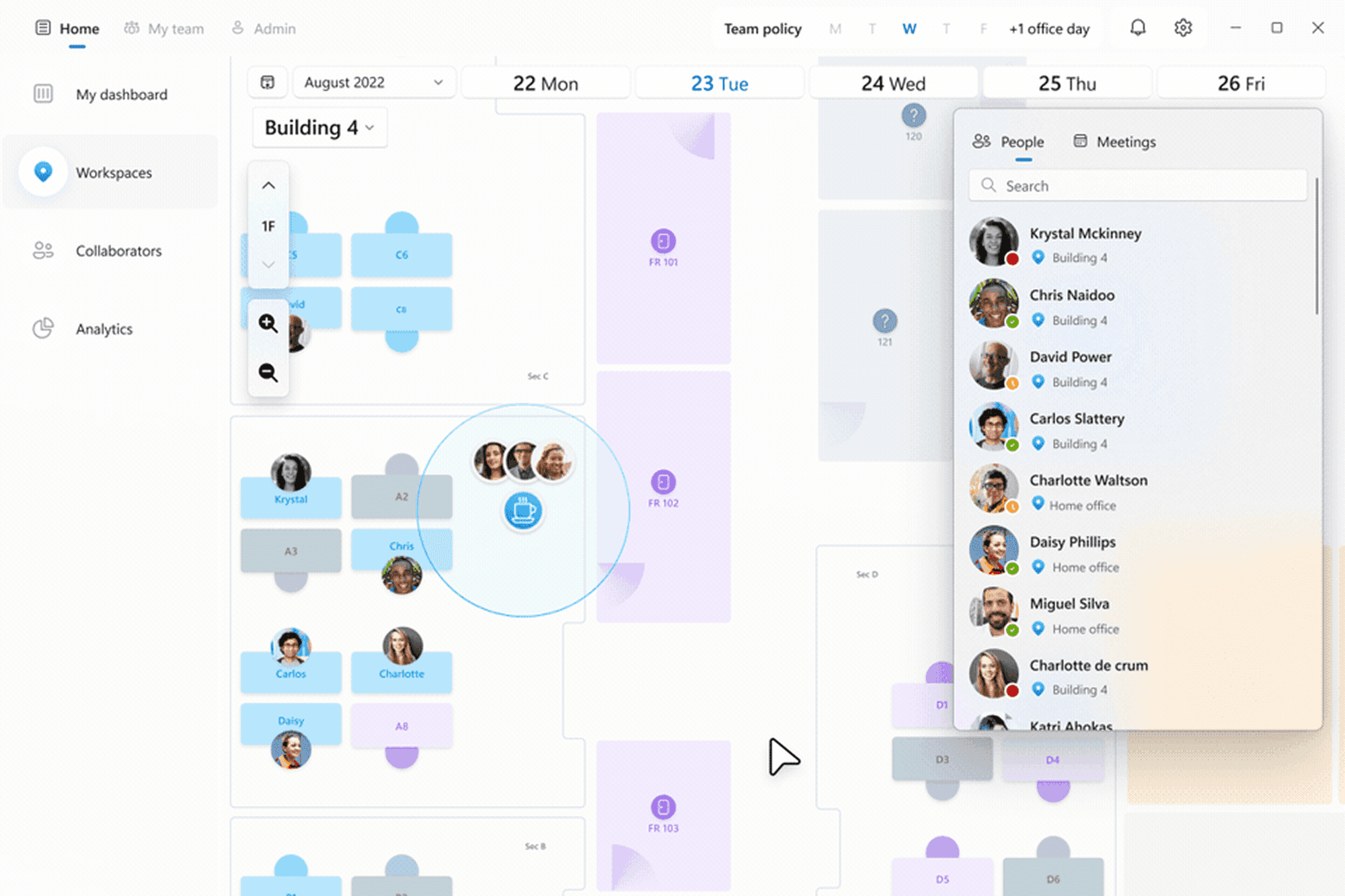
Source: Microsoft
Microsoft Places is designed as a workplace coordination layer inside Microsoft 365. Its main goal is to help employees plan office days, see where colleagues are working, and reserve desks or rooms using familiar tools like Outlook and Microsoft Teams.
The product is tightly connected to Exchange Online and Microsoft Graph. This allows Microsoft Places to feel native, but it also defines how far the product can go in terms of flexibility and configuration.
For organizations already invested in Microsoft 365, Places feels like a natural extension rather than a new tool.
What Microsoft Places Does Well
Microsoft Places works well when the goal is visibility and basic coordination.
Typical strengths include:
Planning office days and seeing who will be onsite
Reserving desks and meeting rooms in Outlook or Teams
Using a Microsoft native experience without onboarding a new tool
Accessing high level occupancy and usage insights
For companies with light hybrid needs or very simple desk booking scenarios, this can be enough.
Where Microsoft Places Reaches Its Limits
In practice, many mid-sized organizations run into constraints once hybrid work becomes operational rather than experimental.
Common limitations include:
Limited desk sharing
Microsoft Places supports desk reservations, but it does not provide true desk sharing logic such as zones, booking priorities, or rotating team access. This makes it difficult to manage shared spaces fairly and consistently.
For example, if your sales team of 40 people all want to come in on Tuesdays but you only have 30 desks in their area, Microsoft Places can't automatically manage this. There's no way to set 'this zone is for sales team only' or 'cap bookings at 30 for this day.' Someone has to manually track it or people show up to find no desk available.
Configuration depends on IT
Most configuration is tied to Exchange workspaces. As a result, HR and Workplace teams depend heavily on IT for changes. This slows down adjustments and makes it harder to adapt policies as hybrid work evolves.
For instance, if HR wants to create a quiet zone with a 4-hour booking limit, or restrict certain desks to senior staff, these rules need to be configured in Exchange workspace settings by IT. Simple policy changes that should take 5 minutes end up requiring IT tickets and can take days to implement.
Hybrid policies are hard to enforce
Use cases like requiring the engineering team to come in on Wednesdays, capping marketing's office days at 25 people, restricting the executive floor to senior staff only, or creating quiet focus zones with booking time limits – these scenarios are difficult to configure in Microsoft Places. Each would require custom Exchange workspace configurations and ongoing IT maintenance, and some simply aren't possible within the platform's current design.
Licensing can become complex and expensive
Microsoft changed how Places is licensed on 1 April 2026. Booking a desk pool or a workspace is now included in Microsoft 365, and so is desk assignment. Three things are not. Booking a specific individual desk, automatic release of unused bookings, and occupancy reports in Places analytics each require the desk to carry a space license, either Microsoft Teams Rooms or Microsoft Teams Shared Space. Cost therefore scales with the number of desks you want individually bookable, not with headcount. A company that only needs pooled booking pays nothing extra. A company that wants employees to pick a specific desk, wants no-shows released automatically, and wants occupancy data pays per desk for all three. Existing Teams Premium customers keep premium features until renewal (upd September 2026).
Why Companies Look for Microsoft Places Alternatives
Mid-sized companies in typically explore alternatives when they need:
Real desk sharing, not just reservations
Hybrid attendance rules owned by HR or Workplace teams
Meeting room workflows that reduce conflicts
Additional modules (visitors, parking, resources)
Clear analytics to optimize office space
Faster rollout without rearchitecting Exchange
Predictable costs without Microsoft license upgrades
This is where dedicated workplace platforms come into play.
Top Microsoft Places Alternatives (Comparison)
Below is a curated list of Microsoft Places alternatives that are commonly considered by mid-sized and enterprise organizations in the EU.
1. Yoffix — the alternative built for mid-sized Microsoft 365 companies
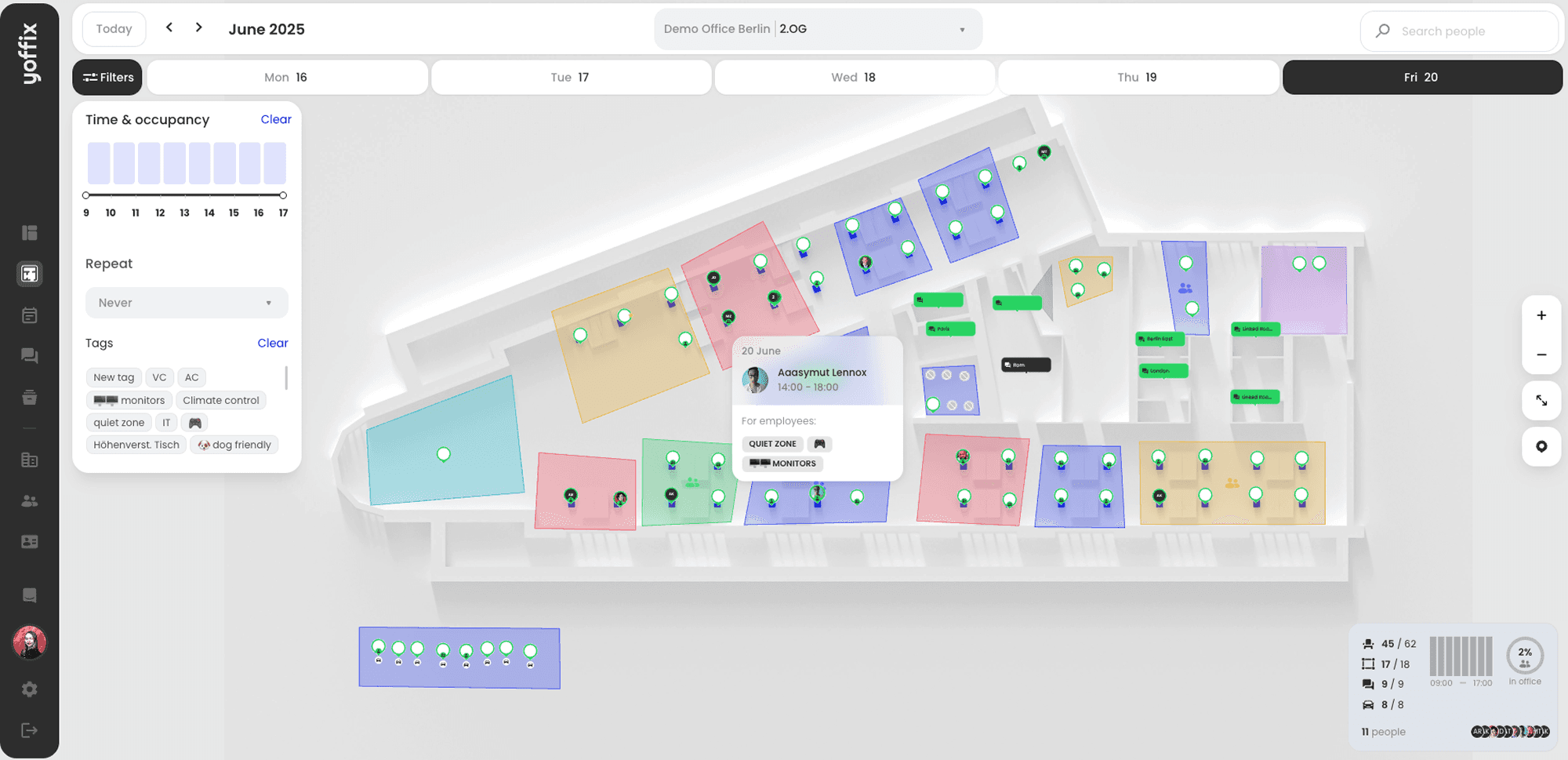
Source: Yoffix
Best for:
Mid-sized companies, hybrid work, and Microsoft 365 as their core platform and a real need for space optimization.
Why it stands out:
Yoffix is an all-in-one workplace management software with modular pricing. It extends Microsoft Teams with operational workplace functionality and offers intuitive UX for employees and simple admin interfaces. Easily scalable across multiple locations and geographies, with highly flexible check in and auto release rules, as well as team attendance priorities to ensure effective space utilization.
Unlike Microsoft Places where configuration happens in Exchange, Yoffix provides a self service admin panel for workplace teams. HR can create zones, define booking rules such as team priorities or time limits, adjust capacity, and manage check in and auto release behavior without relying on IT.
Key characteristics:
Native Microsoft Teams app
Outlook calendar sync
Full desk sharing (zones, rules, priorities)
Hybrid attendance policies
Intuitive user-friendly UI with tailor-made 3D floor plans
Optional modules: room booking, visitor management, parking, resource booking
Business-user-friendly configuration (not IT-only)
No per-desk space license for individual booking, auto-release, or occupancy reports
Fully GDPR compliant and ISO 27001 certified, data stored in Germany
Yoffix fills the exact gap between Microsoft Places (too light) and enterprise IWMS tools (too heavy).
Pricing: Yoffix offers the most transparent and flexible pricing:
Desk Sharing starts at 1,5 EUR ($1.7) / user / month,
Room Booking starts at 10 EUR ($12)/ room / month,
Visitor Management Starts at 80 EUR ($100) / location / month.
2. Condeco (now Eptura)
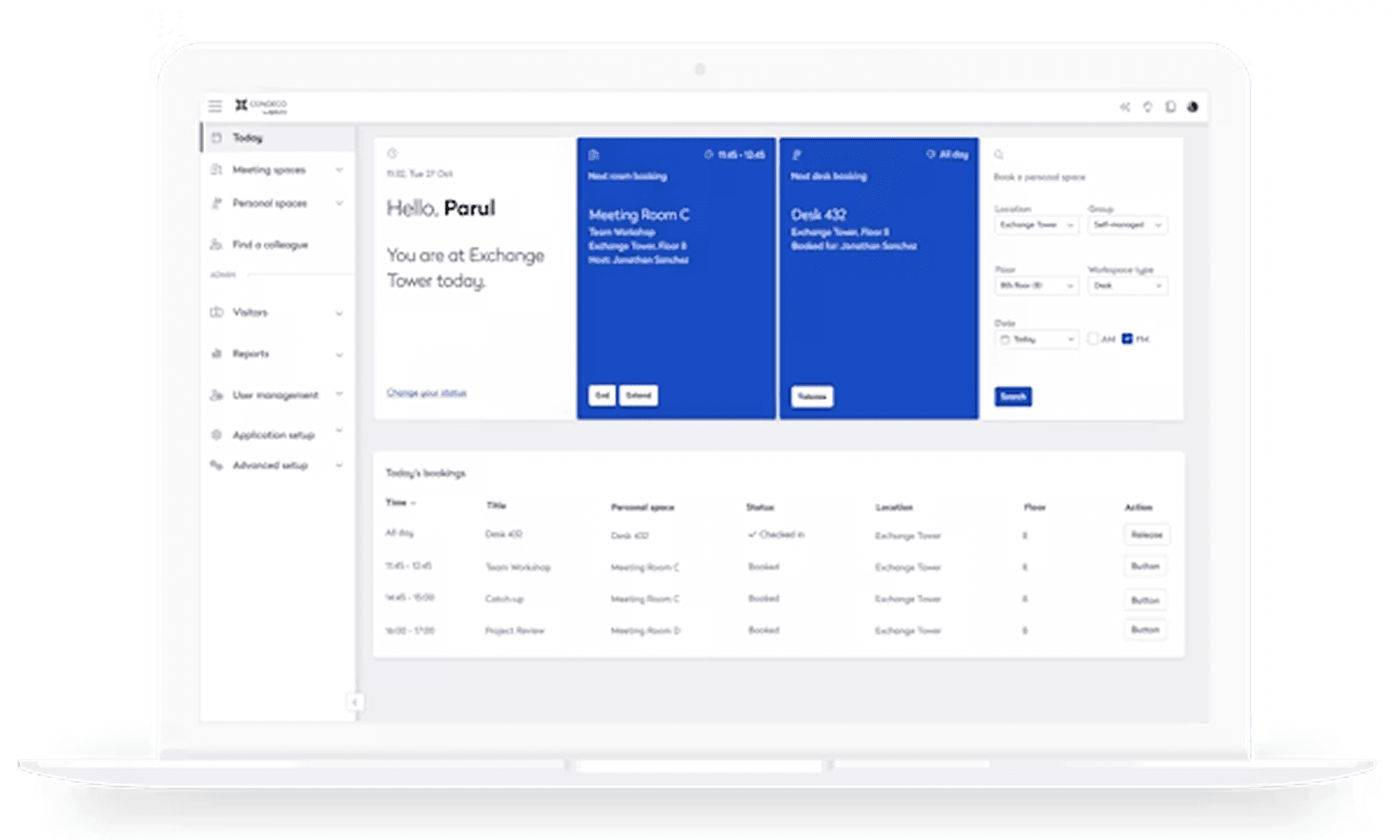
Source: Capterra.com
Best for:
Large enterprises (typically 5,000+ employees) with dedicated corporate real estate and facilities management teams. Condeco/Eptura is designed for organizations that need to manage complex facilities operations, e.g. badge system integration, space planning across multiple buildings, asset tracking, and detailed real estate portfolio analysis. Implementation typically takes 3-6 months and requires dedicated project management.
Why it stands out:
Condeco/Eptura is designed for organizations that need to manage complex facilities operations across multiple buildings and geographies. It brings together workplace booking, space planning, and facilities management into a single enterprise platform. For companies managing large real estate portfolios, Condeco/Eptura provides the depth and breadth that smaller tools simply don't offer.
Limitations:
Complex configuration requires IT and facilities expertise
Implementation timeline can extend 3-6 months or longer
Less focused on the daily employee experience in Teams
Requires a dedicated real estate or facilities team to own the platform
Can be overkill for mid-sized organizations
Pricing reflects enterprise positioning
Pricing: Contact vendor for quote.
3. Robin Powered
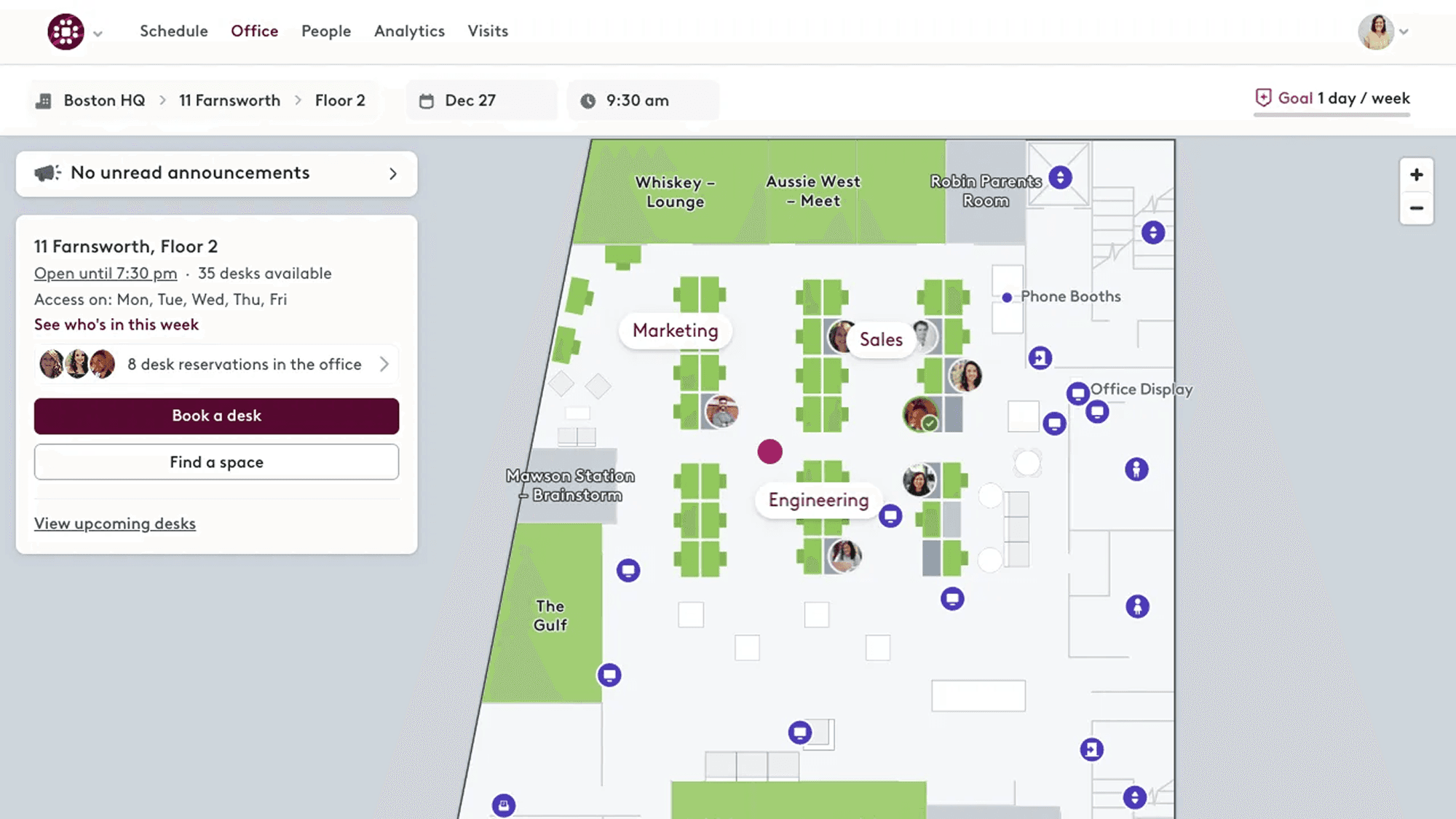
Source: Robin
Best for:
Organizations where meeting room management is the primary challenge and reducing room booking conflicts is a top priority.
Why it stands out:
Robin built its reputation on solving meeting room chaos. If your main pain point is double-booked conference rooms, ghost meetings, or rooms that sit unused while people search for space, Robin's focused approach works well. The platform centers on room displays, smart scheduling, and room analytics that help you optimize meeting space usage.
Limitations:
Desk sharing and hybrid policies are secondary – Robin can handle basic desk booking, but it doesn't include features like team office days, capacity management by department, or zone-based access rules that structured hybrid work requires."
Not deeply embedded in Microsoft Teams - employees typically use Robin's own app or web interface
Room display hardware adds significant cost to the overall investment
Less suitable as a complete hybrid workplace platform if desk sharing is equally important to room management
Pricing: Contact vendor for quote (room display hardware is a significant factor in total cost).
4. Envoy
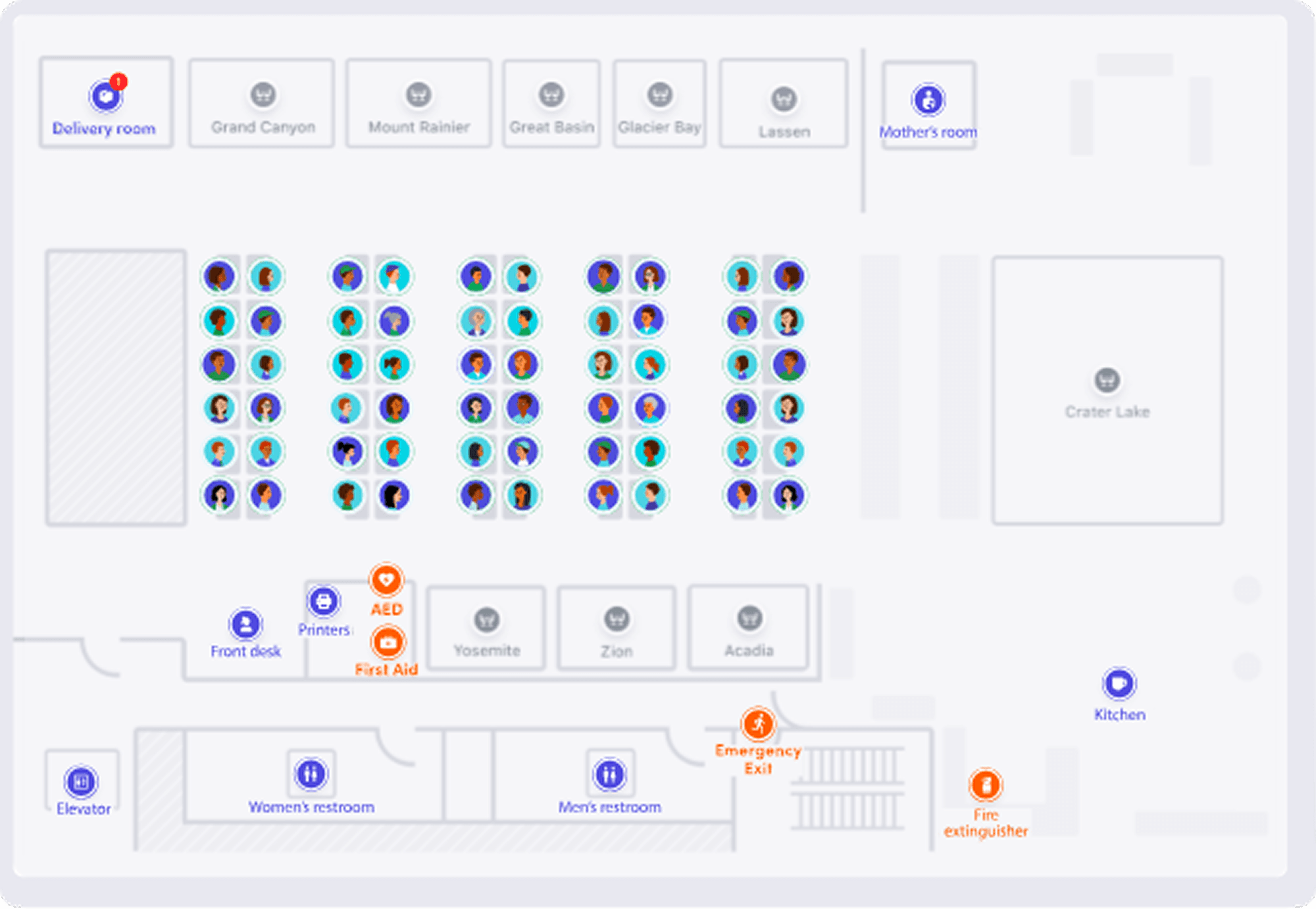
Source: Envoy
Best for:
Companies with high visitor traffic and structured front desk processes where visitor management and security are primary concerns.
Why it stands out:
Envoy offers comprehensive visitor management tooling when your office receives clients, vendors, contractors, or frequent visitors, and you need a professional, secure check-in process. The platform handles everything from pre-registration and host notifications to badge printing, legal agreements, and visitor analytics.
Limitations:
Desk and room booking are not the core focus – features are more basic than dedicated workplace platforms
Not designed as a full hybrid workplace coordination system
Less integration with Microsoft Teams for daily employee workflows
If your main need is desk sharing and hybrid policies, Envoy is solving a different problem
Offers EU data residency for selected products only.
Pricing: from 3 USD (2.5 €) per user per month for its Workplace product, and from 329 USD (280 €) per location per month for visitor management.
5. Waldo Desk Booking
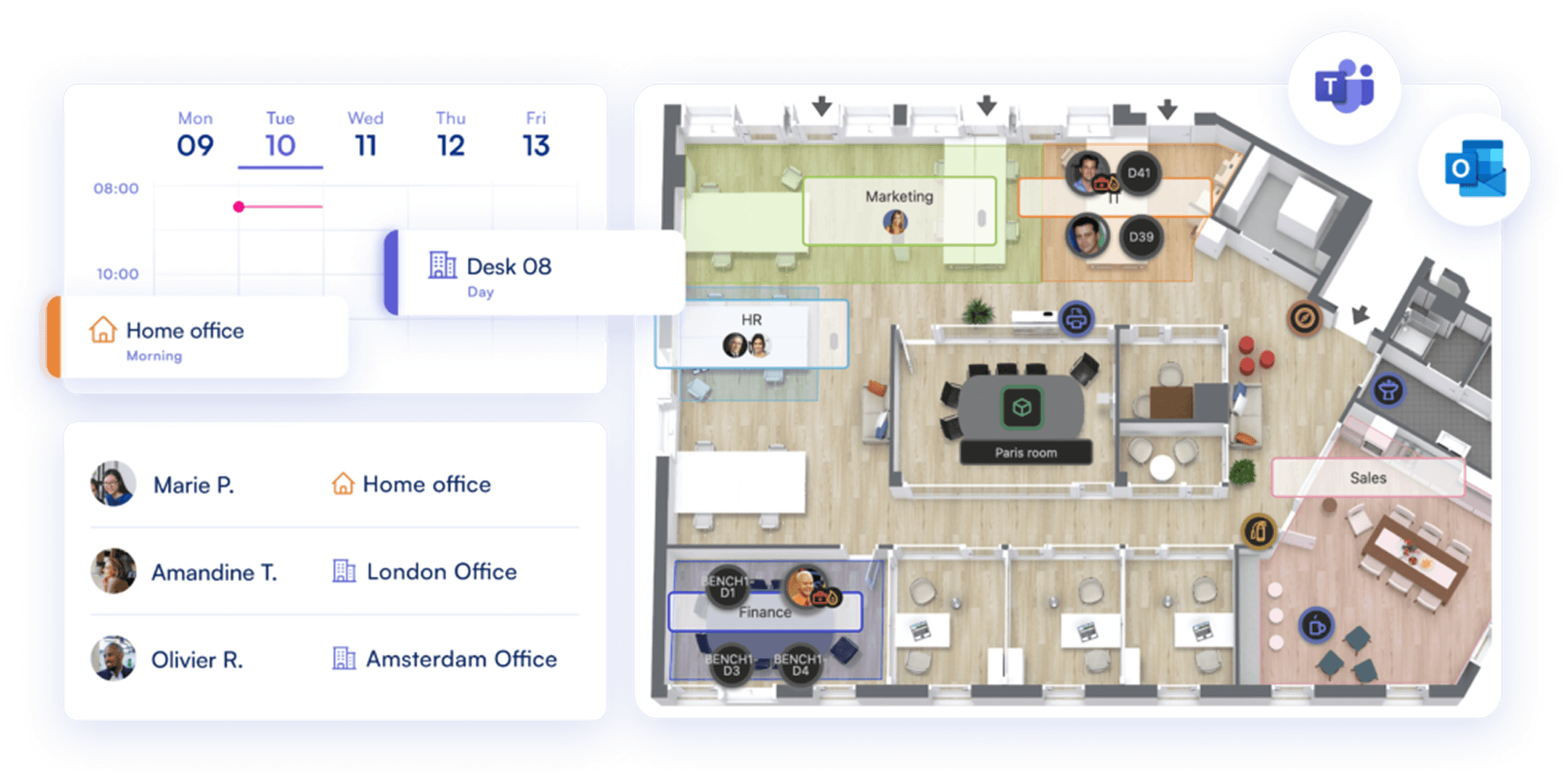
Source: Waldo
Best for:
Companies that want a simple, Teams-centric desk and parking reservation tool with minimal setup.
Product overview:
Waldo Booking is a flex office workspace and parking reservation app available for Microsoft Teams, focused on helping employees reserve desks, parking spaces, and see occupancy rates. It is designed to be easy to deploy via Microsoft 365, with administration based on existing Azure AD settings and no separate sign-in required.
Limitations:
Does not offer the advanced hybrid policy controls (zone-based access, team office days, capacity limits).
Limited support for formalized hybrid attendance policies or complex booking rules compared with dedicated workplace management solutions.
Available public documentation does not clearly articulate GDPR/security certification levels.
Pricing: free basic plan and 30 € per user per year (3 € per month) for a complete version.
The Platform vs. Specialized Solution
Each of the tools above excels in its specific domain. The question for mid-sized companies is whether you need best-of-breed specialists or a unified platform.
The point solution approach: Use Robin for rooms + Envoy for visitors + a separate tool for desk sharing. This gives you specialized features but creates operational complexity:
Employees switch between multiple apps
Data doesn't flow between systems
Three vendor relationships to manage
Higher total cost
No unified analytics
The platform approach (Yoffix): Yoffix provides desk sharing, room booking, visitor management, asset and parking management in one Microsoft Teams-native platform. The individual modules may not match 1:1 every feature of specialized tools, but for most mid-sized companies, they're more than sufficient, and the integrated experience matters more than having the absolute most advanced visitor badge printer or room display. In addition, Yoffix is built with EU requirements in mind, including GDPR compliance, ISO-aligned security practices, EU-based data hosting options, and local customer support that understands regional data protection and works council expectations.
When the platform approach makes sense:
You need to solve several workplace challenges (desks + rooms, or desks + visitors + assets)
Employees already work primarily in Microsoft Teams
You want workplace teams to manage everything in one admin panel
Unified reporting across all workplace activity matters
You prefer simpler vendor management and lower total cost
When point solutions make sense:
You only need one thing (just rooms, just visitors)
That one thing is mission-critical and needs absolute best-in-class
You have the resources to manage multiple vendor relationships and maintain the systems
Integration complexity isn't a concern due to high IT overhead
For most companies in the 500 to 5,000 employee range, the unified platform wins. You get 85 to 90% of specialist features with far better integration.
Feature Comparison
Area | Microsoft Places | Yoffix | Condeco/ Eptura | Robin | Envoy | Waldo |
Target audience | Broad M365 user base | Mid-sized hybrid companies (500-5,000) | Large enterprises (5,000+) | Room-focused organizations | Visitor-heavy companies | Broad M365 user base |
|---|---|---|---|---|---|---|
Desk booking | Basic reservations | True desk sharing with rules and permissions | Advanced desk management | Basic desk booking | Basic desk booking | Basic reservations |
Desk sharing zones | Yes | Yes | Yes | No | No | No |
Hybrid policies | Limited | Yes (incl. team days, access rules, capacity, etc) | Yes | Not included | Not included | Limited |
Meeting rooms | Basic booking | Yes (comprehensive) | Yes | Yes (core strength) | Standard booking | Basic booking |
Room displays | No | Yes (partner integration) | Yes | Yes (core strength) | Yes | No |
Visitor management | No | Yes (comprehensive) | Yes | Basic | Yes (core strength) | No |
Parking management | No | Yes | Yes | No | Limited | Yes |
Space planning | No | Yes | Yes | No | No | No |
Microsoft Teams integration | Built-in | Deep native app | Link/notification | Link/notification | Link/notification | Deep native app |
Outlook integration | Native | Yes | Yes | Yes | Yes | Yes |
Self-service config | No | Yes | Limited | Yes | Yes | Yes |
Typical rollout time | Immediate (if M365) | From 1 day to under a week | 3-6 months | 4-6 weeks | 2-4 weeks | Under a week |
Implementation complexity | Exchange-dependent | Lightweight | Heavy (requires PM) | Moderate | Moderate | Lightweight |
Licensing | Included in M365 for pooled booking, space license per individually bookable desk | Standard M365 | Enterprise agreements | Standard licensing | Standard licensing | Standard licensing |
Security & Compliance | GDPR, ISO27001, data hosting in the EU possible | GDPR, ISO27001, data hosted in the EU, certified Microsoft Partner | GDPR, ISO27001, data hosted primarily in the US | GDPR, ISO27001, data hosting in the EU possible | GDPR, data hosting in the EU possible for certain products. | GDPR, data hosted in the EU |
Pricing | Included in M365 for pooled booking, space license per individually bookable desk | From 1.5/user/month EUR | On request | On request | From 3 USD (2.5 €) / user/month | From 3/user/month EUR + free basic version |
Best for | Light coordination needs | Mid-sized companies on MS 365 wanting the full control and optimization of their hybrid office. | Enterprise real estate management | Meeting room optimization | Visitor experience | Light coordination needs |
This table highlights a key pattern: Microsoft Places provides visibility and basic booking, but operational control sits with IT. Yoffix shifts that control to workplace teams while maintaining the same Microsoft-native experience for employees. For companies where hybrid work policies change frequently (e.g. adjusting team days, adding new zones, updating capacity rules) this difference matters significantly in day-to-day operations.
Which Microsoft Places Alternative Fits Which Company?
Choose Microsoft Places if:
You need only basic visibility and simple booking
You have fewer than 150 employees
Pooled desk booking is enough, or you will buy a space license per individually bookable desk
IT is willing to own all configuration
Choose Yoffix if:
You have 500 to 5,000 employees running structured hybrid work
You need efficient space utilization based on team needs
Microsoft Teams is your primary collaboration platform
You want workplace/HR teams to own configuration
Fast rollout and predictable pricing matter
Choose Condeco/Eptura if:
You have 2,000+ employees across multiple locations
Corporate real estate optimization is a strategic priority
You need deep building system integrations
You have dedicated facilities/IT teams to manage the platform
Budget supports enterprise-level investment
Choose Robin if:
Meeting room chaos is your primary pain point
You want polished room displays and hardware
Desk sharing policies are secondary
You value design and user experience highly
Choose Envoy if:
High visitor volume is your main challenge
Professional reception and security are critical
Desk sharing needs are basic
Brand impression at reception matters
Choose Waldo if:
You want a very lightweight desk and parking booking tool with minimal setup
Your hybrid needs are simple, without complex rules or policies
You are comfortable relying mainly on Microsoft 365 security controls
You are running a small to mid-sized setup and advanced compliance, analytics, or modular expansion are not priorities
What Is the Best Microsoft Places Alternative?
There is no universal answer but for mid-sized companies in the EU using Microsoft 365, the pattern is clear:
Microsoft Places is a solid but pricey foundation for basic visibility and booking.
Waldo Booking is a lightweight, Microsoft Teams-native option for organizations that need basic desk booking without upgrading to Teams Premium.
Specialist tools (Robin, Envoy) excel in their specific domains, but they can create fragmentation when multiple workplace capabilities are required. In the EU environments, this fragmentation also increases complexity around GDPR compliance, data governance, and coordination with local works councils, which need to be considered especially when employee data spans several systems.
Enterprise IWMS platforms (Condeco/Eptura) are too complex and rigid for most mid-market needs.
Yoffix sits in the sweet spot: a unified workplace platform that's Microsoft-native, modular, affordable, and designed for real hybrid operations without the overhead of enterprise tools or the fragmentation of point solutions. It is built for flexibility and security tailored for EU-based clients.
Frequently Asked Questions
Is desk booking in Microsoft Places free?
Partly. Booking a desk pool or workspace is included in Microsoft 365 plans, along with desk assignment, workplace check-in, Places Finder, and Places explorer. Booking a specific individual desk is not. Since 1 April 2026, that requires the desk to carry a space license. Auto-release of unused bookings and occupancy reports in Places analytics carry the same requirement.
Does Microsoft Places still require Teams Premium?
No. Until 1 April 2026, individual desk booking, auto-release, and occupancy reports sat behind a per-user Teams Premium license. Microsoft moved them to per-space licensing on that date. Organizations that already hold Teams Premium keep the premium features until renewal, after which they move to space licensing.
What is the difference between a desk pool and an individual desk in Microsoft Places?
A desk pool, which Microsoft also calls a workspace, is a group of desks in an area that an employee reserves without choosing a specific one. An individual desk is a named desk the employee picks. Desk pools are included in Microsoft 365, individual desks need a space license. Individual desks can be configured as reservable, drop-in, assigned, or unavailable.
What is the best Microsoft Places alternative?
The answer depends on which problem you are solving, because the alternatives are not interchangeable. Yoffix covers desk sharing with zones and team rules for Microsoft 365 companies of 500 to 5,000 employees in Europe. Eptura, formerly Condeco, suits large enterprises with dedicated real estate teams. Robin is strongest on meeting rooms, Envoy on visitors, and Waldo is a lightweight Teams booking tool. The deciding question is usually whether you need booking on its own or booking plus policy control, reporting, and other resources.
Why do companies look for a Microsoft Places alternative?
Three reasons come up repeatedly. Configuration in Places runs through Exchange workspaces, so HR and workplace teams depend on IT for policy changes. Structured hybrid rules such as team office days, capacity caps per team, and zone-based access are difficult to express. And the three capabilities that make desk sharing work operationally, individual desk booking, auto-release, and occupancy reporting, each require a space license per desk.
Can Yoffix run alongside Microsoft Places?
Yes. Yoffix uses the same Microsoft identity, calendar, and Teams surfaces, so it does not replace any part of Microsoft 365. Employees sign in with Microsoft Entra ID, bookings sync two ways with Outlook, and booking happens inside the Teams app they already have open. A common approach is to pilot with one team while Places stays active for everyone else.
Do we have to cancel our Microsoft 365 licenses to switch?
No. Microsoft 365, Teams, Outlook, and Entra ID stay exactly as they are. A workplace platform adds desk sharing, policy control, and reporting on top of that stack rather than replacing part of it, so there is no license to give up and no migration of identity or calendar data.
At what company size does Microsoft Places stop being enough?
The constraint is demand rather than headcount. Places holds up while desk supply exceeds demand on every day of the week and booking rules stay simple. It comes under pressure once teams compete for the same days, once someone needs occupancy data to justify a space decision, or once policy changes have to happen without an IT ticket. In practice that is where companies of roughly 500 employees and above start evaluating alternatives.
How long does it take to move from Microsoft Places to another tool?
Rollout runs in parallel with Places, so there is no downtime. Yoffix deployments typically take from one day to under a week, longer where several locations or complex booking rules are involved. A common pattern is a pilot with 20 to 30 people from different teams, then a company-wide switch once the rules are settled.


