
Hybrid work only works when coordination works. For most organizations running on Microsoft 365, that coordination happens inside Microsoft Teams and Outlook. The question is: if Teams is where employees collaborate, shouldn't desk booking software live there too?
Choosing the right desk sharing software for Microsoft Teams comes down to integration depth, adoption, and what the data lets you decide about your office later. This guide is for IT, HR, and workplace leads evaluating what will hold up inside a Microsoft environment.
Why Microsoft Teams Should Be the Core of Desk Sharing
Microsoft Teams is already the daily workspace for chat, meetings, and collaboration. Adding desk booking as a separate portal creates friction: employees forget to book, tools disconnect from calendars, IT manages additional access rights, and data lives in silos.
A Microsoft-first desk booking software reduces tool switching, increases adoption, and aligns with existing identity, calendar, and compliance frameworks. But not all 'Teams integrations' are equal, that's where evaluation becomes critical.
Integration Depth: The Most Important Differentiator
Most vendors claim to integrate with Microsoft 365, but what that means varies wildly. Some offer a basic bot. Others provide a fully embedded experience that lives inside Teams and syncs bidirectionally with Outlook.
Test the difference: Book a desk in Teams, then check your Outlook calendar.
Does it appear automatically?
Can you edit or cancel it from Outlook?
Can you invite only employees from specific departments or offices to use the new tool?
If you need to open a separate web portal to manage bookings, you're adding friction that will hurt adoption.
Key integration questions to ask:
Do bookings appear in both Teams and Outlook calendars automatically?
Is there full two-way calendar sync, so changes in one system reflect immediately in the other?
Can employees book directly inside Teams without switching to a web portal?
Does the system support both desk and room booking in the same interface?
Are floor plans accessible directly within Teams?
Does it integrate with Azure AD (Microsoft Entra ID) for single sign-on (SSO)?
Deep integration means lower friction and higher adoption. A truly Microsoft-native solution feels like a natural extension of Teams and Outlook, not a separate system employees need to remember to check.
Real-World Features That Matter
Every desk booking system claims to support hot desks, floor plans, and real-time availability. The difference is in how these features handle real-world hybrid scenarios that break simple reservation logic.
Conflict handling
When two employees try to book the same desk simultaneously, does the system prevent the conflict before it occurs, or allow double bookings? Can employees reschedule recurring reservations with one action? Without reliable conflict handling, the tool generates support tickets and erodes trust.
Check-in enforcement
If someone books a desk and doesn't show up, does the system automatically release it? Without enforcement, 30% of bookings can represent empty desks which defeats the entire purpose of hot desking. Automatic check-in prompts and no-show releases are essential.
Team visibility
Can employees see which teammates are planning to be in the office on a given day? Can they locate colleagues on an interactive floor plan? The software should make coordination passive, visible without requiring additional communication.
User Experience Determines Adoption
A desk booking system can have flawless integration and sophisticated features, but if it takes eight clicks to reserve a desk, employees won't use it. Test the booking flow with actual users from different departments. If they need to ask 'where do I click next?', you'll be writing documentation forever.
Mobile experience matters as much as desktop for employees to book desks while commuting or deciding whether to come in that morning. If the mobile interface is clunky, they'll skip booking and just show up, creating the exact coordination problem you're trying to solve.
Pay attention to whether the interface feels consistent with MS Teams' design language. When software looks and behaves like tools people already use, adoption happens naturally.
Administration and Governance
Sales demos focus on the employee experience but rarely show the administrative reality of managing hybrid policies across multiple offices, teams, and booking rules. This is where many implementations fail.
Policy management needs to be centralized but flexible. Your London office might enforce mandatory check-ins while your Berlin office allows longer booking windows due to works council requirements. If configuring these policies requires custom development, you'll never keep up with policy adjustments.
Ask vendors to demonstrate setting up a new office location, defining team-specific booking rules, and modifying session duration limits. If this requires navigating multiple configuration screens or writing code, it's too complex. Desk booking administration should take minutes, not hours.
Automatic enforcement matters more than manual rules. If a desk goes unconfirmed for 30 minutes, the system should release it automatically. Every manual intervention is a support burden you'll carry indefinitely.
Security and Compliance for Microsoft 365 Environments
For organizations running on MS 365, security isn't a checklist item but an architectural requirement. Your desk sharing software accesses employee calendars, location data, and presence information. If it doesn't align with your existing security framework, you're creating a compliance risk.
Critical security requirements:
Azure AD (Microsoft Entra ID) single sign-on support prevents password proliferation and ensures ex-employees lose access when their AD account is disabled.
Data residency compliance is mandatory for GDPR as you need to know where employee booking data is stored and whether it can be deleted upon request.
Works council consultation is mandatory in Germany, Austria, and Switzerland for any system tracking employee location.
ISO 27001 certification indicates mature security practices suitable for enterprise environments.
If the vendor hosts everything in US-based data centers with no EU option, that may be a dealbreaker before you even evaluate features.
Real-Time Availability and Sync Reliability
Hybrid offices change constantly. Your desk sharing system needs to reflect changes instantly, not after a 15-minute sync delay that leaves employees staring at stale availability data.
Test how quickly changes propagate: Book a desk in Teams and immediately check Outlook. Cancel it and see how long availability updates take. If updates take more than a few seconds, you'll generate confusion during Monday mornings when everyone is making last-minute office plans.
Calendar synchronization must be bidirectional. If someone modifies their desk booking in Outlook, those changes must flow back to the desk booking system immediately. One-way sync creates data inconsistencies that erode employee trust.
Analytics Transform Booking Tools into Strategic Assets
Six months after deployment, your CFO asks whether the company can consolidate from four office floors to three. Without analytics, that's guesswork. With analytics, it's a decision based on actual occupancy data, team presence patterns, and cost-per-desk utilization.
The right analytics answer specific business questions: What percentage of desks are booked versus actually occupied? Which teams coordinate office days most effectively? Are certain floor zones consistently underutilized? When office attendance peaks on Tuesdays and Wednesdays, you can adjust cleaning schedules and facilities support accordingly.
Data reliability and occupancy sensors
Analytics are only as valuable as the data behind them. Booking data shows intent, but occupancy sensors show reality. Can the desk sharing software integrate with occupancy sensors for desks and meeting rooms to validate actual usage against reservations?
Sensor integration closes the gap between bookings and real occupancy. When analytics combine reservation data with sensor-validated presence, you get accurate utilization metrics instead of optimistic booking numbers. This distinction matters when making real estate decisions, for example, a desk booked 80% of the time but actually occupied 50% tells a very different story about space needs.
Reporting should be accessible to different stakeholders without IT mediation. HR needs team presence data. Workplace teams need occupancy trends. Finance needs cost-per-desk metrics. If every report requires IT to export data and build spreadsheets, analytics becomes a burden rather than a benefit.
Platform vs. Point Solution: Thinking Beyond Desks
Organizations typically start looking for desk booking software. Within six months, they also need meeting room booking and visitor management. Within a year, they're consolidating three separate systems that don't share data and each require separate administration.
A platform approach consolidates these functions in one system with unified administration, consistent user experience, and integrated reporting. When desk bookings, room reservations, and visitor scheduling all happen in the same Microsoft Teams interface, employees don't need to learn multiple tools.
Ask vendors about their product roadmap. Can you enable room booking and visitor management later without switching vendors? If the answer is 'we partner with other vendors for that,' you're looking at integration complexity and multiple procurement processes.
Procurement: Microsoft Marketplace and MACC Eligibility
How you purchase desk sharing software matters as much as which solution you choose. For organizations standardized on Microsoft 365, procurement complexity and budget allocation can make or break implementation timelines.
Microsoft Marketplace purchasing
Can you purchase the solution directly from Microsoft and have it included in your monthly Microsoft bill? Solutions available through the Microsoft commercial marketplace streamline procurement significantly. Instead of negotiating separate contracts, managing new vendor relationships, and tracking additional invoices, marketplace purchases consolidate into existing Microsoft billing.
This matters especially for organizations with complex procurement processes or purchasing restrictions. If your company requires multiple approval layers for new vendors but has streamlined processes for Microsoft purchases, marketplace availability can reduce deployment delays from months to weeks.
Azure Consumption Commitment (MACC)
For organizations with Microsoft Azure Consumption Commitment (MACC) agreements, solution eligibility becomes a budget optimization question. MACC allows you to apply committed Azure spend to eligible marketplace solutions, including SaaS applications.
If your desk sharing software qualifies for MACC, you can use existing Azure commitment rather than requesting new budget allocation. This transforms the procurement conversation from 'approve new software spend' to 'optimize existing Microsoft commitment.' For IT leaders managing tight budgets, this distinction often determines whether a project gets approved this quarter or deferred indefinitely.
Ask vendors directly: Is your solution available through Microsoft commercial marketplace? Does it qualify for MACC? If not, are you planning marketplace availability, and what's the timeline? Solutions without marketplace presence require traditional procurement, which may not align with your organization's purchasing workflows.
Comparing Leading Desk Booking Systems for Microsoft Teams
When searching for the best desk booking system with Microsoft Teams integration, Microsoft 365 customers typically evaluate the following tools:
Yoffix
Microsoft Places
Envoy
Waldo Booking
Deskly
Each solution approaches Microsoft integration, hybrid coordination, and workplace management differently.
| Yoffix | Microsoft Places | Envoy | Waldo | desk.ly |
|---|---|---|---|---|---|
Best for | Mid-sized M365 companies, 500 to 5,000 | Presence and pooled booking in M365 | Visitor-heavy offices | Lightweight Teams booking | Simple desk booking |
Teams integration | Embedded app | Built-in | Link and notifications | Embedded app | Embedded app |
Outlook sync | Two-way | Native | Yes | Yes | Yes |
Desk sharing rules | Zones, team priorities, capacity caps | Sections and desk pools | Basic | Basic | Basic |
Check-in and auto-release | Included | Paid add-on | Yes | Limited | Limited |
Utilization analytics | By floor, team, and weekday | Occupancy reports as paid add-on | Basic | Basic | Basic |
Other modules | Rooms, parking, resources, visitors, tickets | None | Visitors, rooms | Parking | None |
Data hosting | Germany | EU possible | EU for selected products | EU | EU |
Microsoft marketplace | Yes, MACC eligible | Native | No | Yes | No |
Pricing | From 1.5 EUR per user per month | M365 for pooled booking, space license per individual desk | From 3 USD per user per month | From 3 EUR per user per month | On request |
1. Yoffix
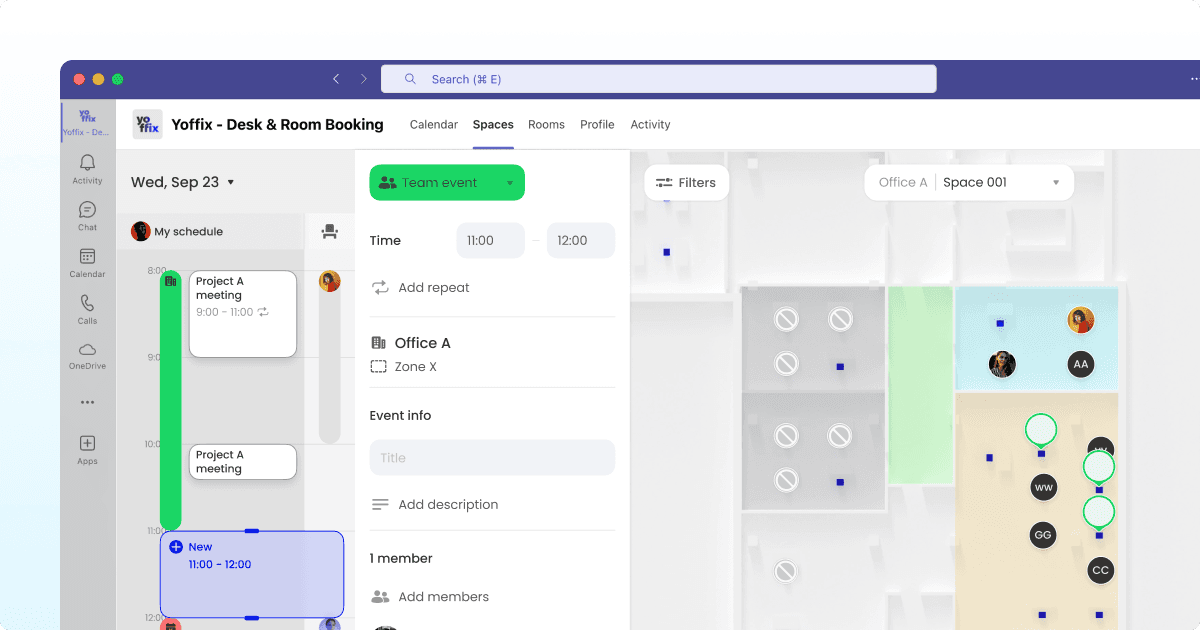
Source: Yoffix
One platform consistently stands apart: Yoffix. Here's why Yoffix is the leading desk sharing and hybrid work tool for Microsoft 365 organizations:
Deep Microsoft 365 Integration
Fully embedded Microsoft Teams app without requiring separate portals or logins
Outstanding mobile experience within Microsoft Teams
Two-way Outlook calendar sync ensures bookings appear automatically in both systems
Azure AD (Microsoft Entra ID) integration for single sign-on and identity management
Native alignment with Microsoft security and compliance frameworks
Proven User Satisfaction
Rated 4.8/5 stars on Capterra (view reviews)
Listed on Microsoft AppSource and available through Microsoft commercial marketplace
Consistently high marks for ease of use and integration quality
Flexible Policy Management
Centralized hybrid policy controls without custom development
Configure office-specific or team-specific booking rules in minutes
Support for works council requirements in DACH region
Automatic check-in enforcement and no-show desk release
Real-Time Coordination
Live desk availability and interactive floor plans
Resource visibility shows which teammates plan to be in office
Instant calendar synchronization prevents booking conflicts
Mobile-optimized for on-the-go booking decisions
Strategic Analytics
Space utilization metrics and occupancy trends
Team presence data for hybrid policy optimization
Integration with occupancy sensors for validated usage data
Stakeholder-accessible reporting (HR, workplace teams, finance)
Platform Scalability
Modular expansion to meeting room booking, visitor management, and asset tracking
All functions unified in the same Microsoft Teams interface
Available through Microsoft commercial marketplace
Eligible for Microsoft Azure Consumption Commitment (MACC)
Instead of operating as a standalone booking portal, Yoffix integrates into the daily Microsoft workflow, supporting both employees and administrators while reducing IT complexity and driving adoption rates 90% and above.
2. Microsoft Places
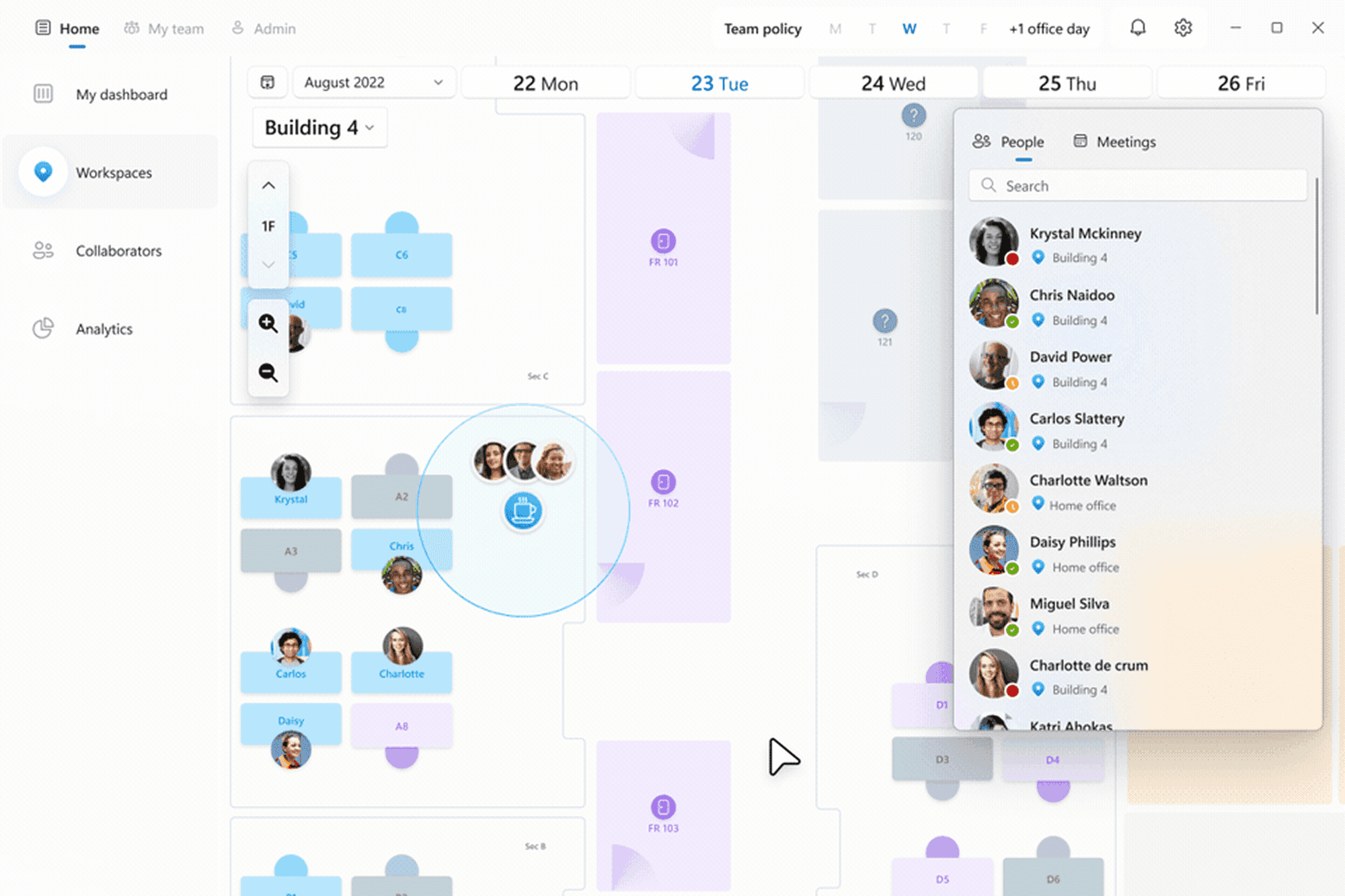
Source: Microsoft
Microsoft Places is Microsoft’s native workplace coordination layer within Microsoft 365. It enhances presence visibility and workplace insights directly inside Outlook and Teams.
Strengths:
Native Microsoft environment, no new app to roll out
Presence, work plans, and workplace check-in
Desk pools, drop-in, assigned, and reservable desks
Pooled desk booking included in Microsoft 365 plans
Limitations:
Configuration runs through Exchange workspaces, so policy changes depend on IT
Limited support for team office days, capacity caps per team, and zone-based access
No built-in visitor management or parking
Individual desk booking, auto-release, and occupancy reports are paid add-ons
Best suited for: organizations seeking native Microsoft presence insights rather than a full workplace management platform.
Learn more about Microsoft Places alternatives.
3. Envoy
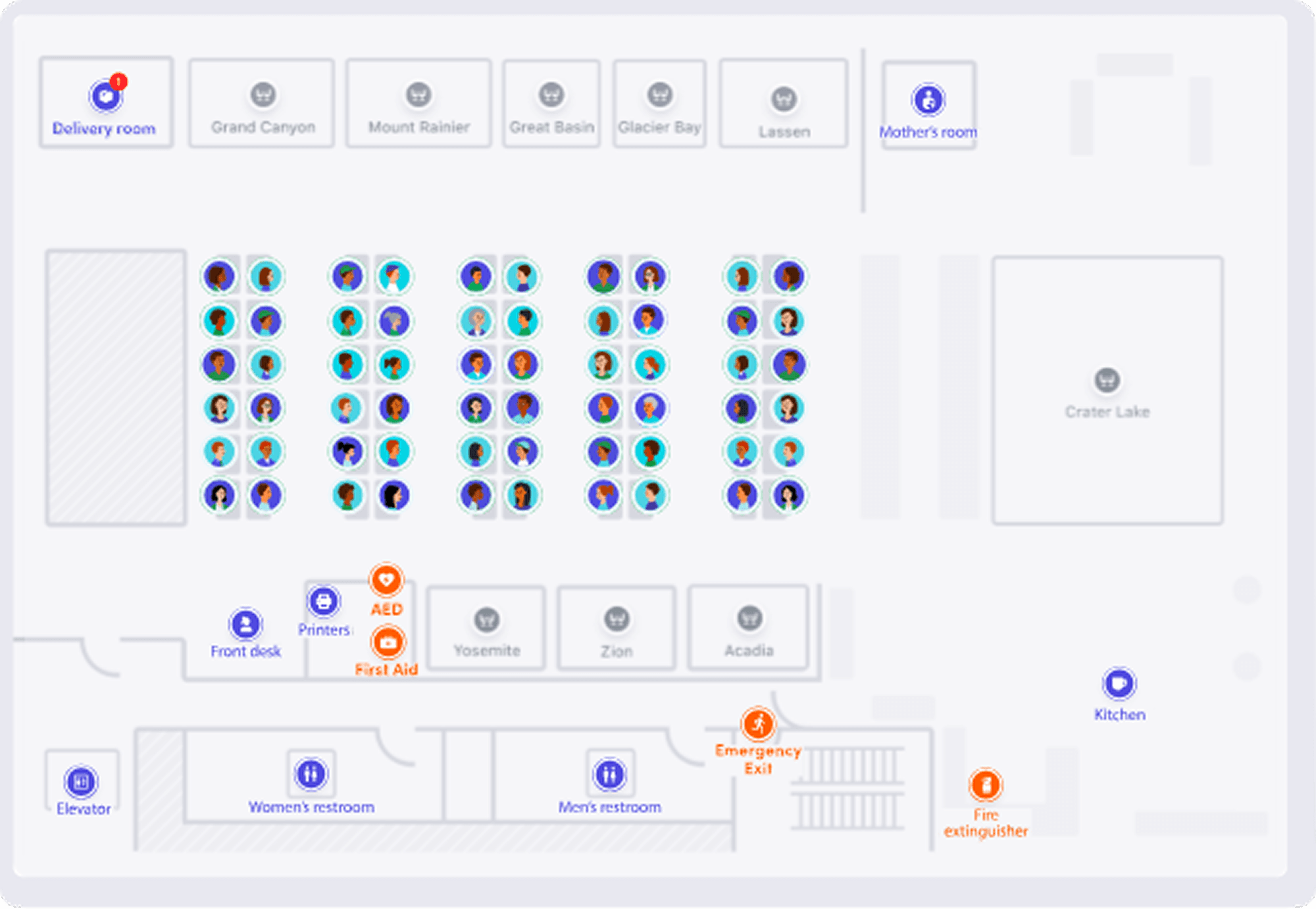
Source: Envoy
Envoy is widely known for visitor management and workplace services. It also offers desk booking with Microsoft Teams integration.
Strengths:
Strong visitor management capabilities
Enterprise positioning
Multi-feature workplace solution
Limitations:
Microsoft integration depth varies depending on configuration
Some workflows still require separate portal interaction
Higher complexity for organizations primarily seeking a Microsoft-native desk booking system
EU-based organizations may need to conduct additional review of data residency and cross-border transfer practices to ensure GDPR alignment.
Best suited for: enterprises prioritizing visitor management with desk booking as an extension.
4. Waldo Booking
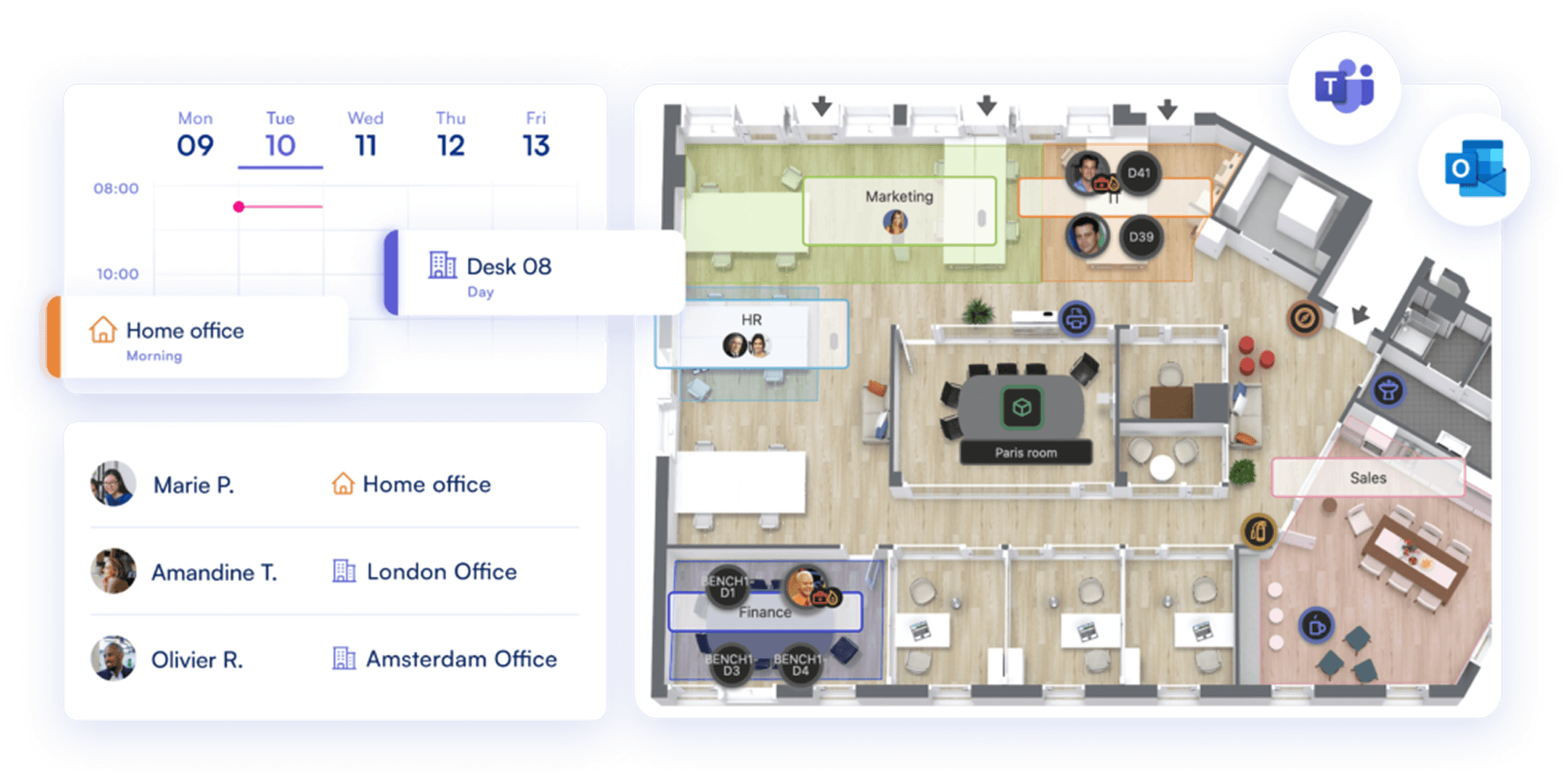
Source: Waldo
Waldo Booking provides desk and meeting room reservations with Microsoft Teams integration and interactive floor plan support. The solution emphasizes usability and fast implementation.
Strengths:
Microsoft Teams integration with desk and parking space booking
Interactive floor plans and real-time availability
Quick deployment
Limitations:
Limited governance and hybrid policy customization for complex environments
Analytics and reporting capabilities are less comprehensive than enterprise workplace platforms
Best suited for: companies prioritizing fast implementation and basic booking functionality.
5. Desk.ly
Source: Desk.ly
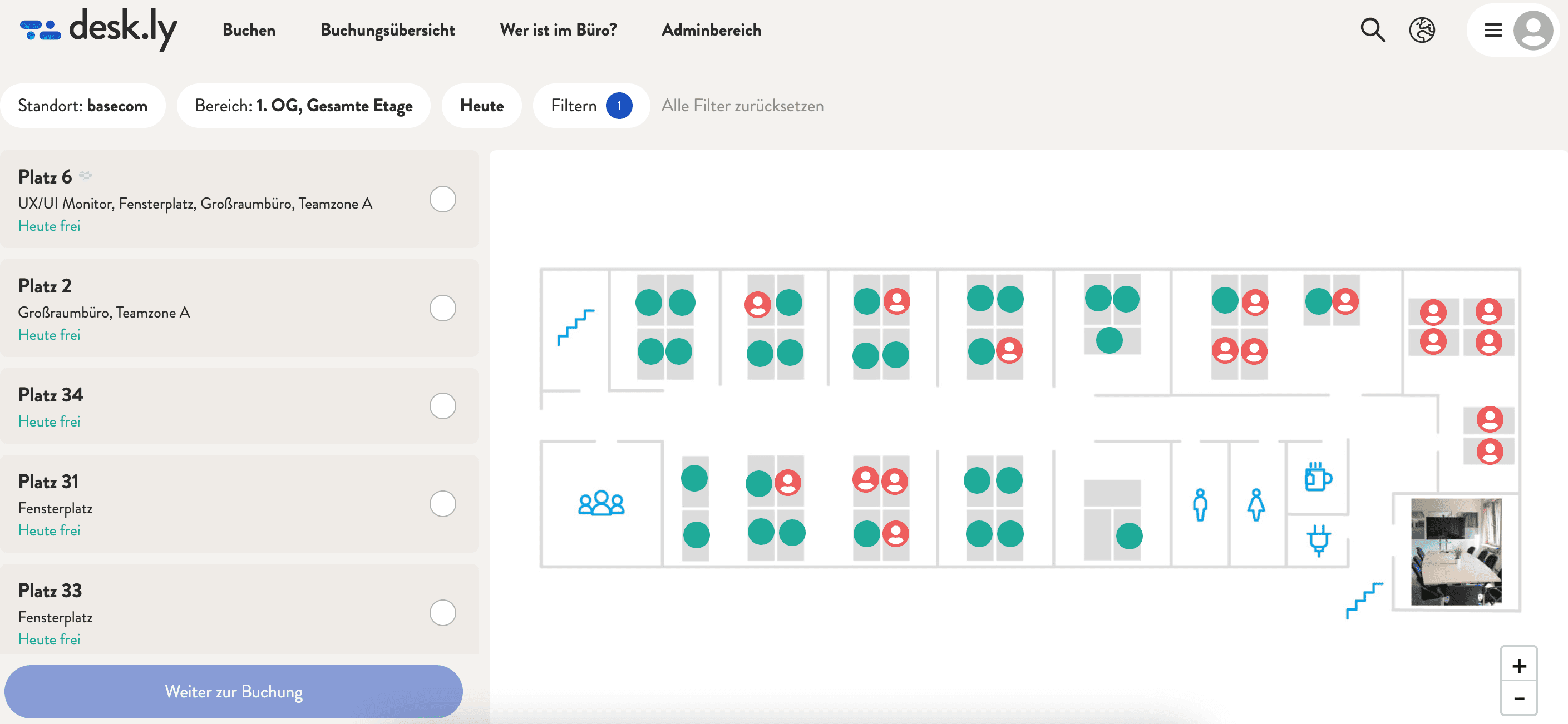
Deskly provides a solid desk booking system with Microsoft Teams integration and focuses on a clean, easy-to-use reservation experience. It works well for organizations introducing flexible seating and looking for straightforward booking functionality inside Microsoft 365.
Strengths:
Microsoft Teams integration with Outlook calendar sync
Interactive floor plans and real-time availability
Simple setup and intuitive booking flow
Limitations:
Limited flexibility for complex hybrid policies across multiple offices or departments
Basic governance and rule configuration compared to enterprise-focused platforms
Not designed as an all-in-one workplace management platform (no unified expansion into visitor management, advanced analytics, or broader hybrid coordination modules)
Best suited for: small to mid-sized teams needing simple desk booking inside Teams.
Which tool fits which company
Choose Microsoft Places if pooled desk booking is enough, desk supply comfortably exceeds demand, and IT is willing to own configuration in Exchange.
Choose Yoffix if you have 500 to 5,000 employees on Microsoft 365, need zones and team rules rather than plain reservations, want workplace or HR teams to change policy without an IT ticket, and expect to add rooms, parking, or visitors later.
Choose Envoy if visitor volume is your main problem and desk booking is secondary.
Choose Waldo or desk.ly if you want a lightweight Teams booking tool with minimal setup and no complex policy requirements.
Making the Right Choice
If your organization runs on MS 365, your desk sharing software should integrate deeply into that ecosystem. When evaluating solutions, prioritize integration depth, real-time reliability, policy enforcement, security alignment, administrative scalability, and workplace analytics.
Desk sharing isn't just about reserving a seat but about coordinating hybrid work at scale, securely, efficiently, and with measurable impact. For organizations with 500+ employees and structured hybrid policies, a Microsoft-native platform approach typically delivers stronger adoption, lower IT complexity, and better long-term workplace optimization.
Choose a solution that lives where employees already work, enforces policies automatically, provides strategic insights, and can evolve as your hybrid work strategy matures. That's how desk sharing software becomes workplace infrastructure rather than just another tool to manage.
Frequently Asked Questions
What is the best desk booking software for Microsoft Teams?
It depends on whether you need booking on its own or booking plus policy control and reporting. Microsoft Places covers presence and pooled desk booking inside Microsoft 365 with no separate tool. Third-party platforms are worth evaluating when you need zone-based rules, team office days, occupancy analytics, visitor management, or several offices with different policies. For Microsoft 365 companies of 500 to 5,000 employees, the shortlist is usually Microsoft Places against one workplace platform.
Does Microsoft Teams have built-in desk booking?
Yes, through Microsoft Places. Employees can book desk pools and individually named desks from Teams and Outlook, and desks can be set as reservable, drop-in, assigned, or unavailable. Pooled booking is included in Microsoft 365 plans. Individual desk booking, automatic release, and occupancy reporting are paid add-ons.
What does a native Teams integration actually mean?
A native integration means employees complete the whole task inside Teams, without opening a web portal. Test it by booking a desk in Teams and checking whether it appears in Outlook automatically, whether you can cancel it from Outlook, and whether the floor plan opens inside Teams. A bot that posts a link to an external booking site is a notification, not an integration.
Can employees book a desk from Outlook?
Bookings made in a Teams-native tool appear in Outlook through calendar sync, and with two-way sync a change made in Outlook flows back. Some platforms also offer an Outlook add-in for meeting room booking, so a room can be reserved without leaving the calendar. Check whether the sync is genuinely two-way, because one-way sync creates conflicts that erode trust in the floor plan within weeks.
Can desk booking software be purchased through Microsoft marketplace?
Some vendors are listed on the Microsoft commercial marketplace, which means the subscription is billed through your existing Microsoft account rather than as a separate vendor contract. Solutions that qualify for Microsoft Azure Consumption Commitment let you apply committed Azure spend to the purchase. For organizations with layered procurement approval, this can shorten deployment timelines considerably.
Does desk booking software work with Entra ID single sign-on?
Well-integrated platforms authenticate through Microsoft Entra ID, so employees use their existing company credentials and no new password is created. User synchronization from Entra ID or SCIM keeps the directory current, and access ends automatically when an account is disabled. Without this, offboarded employees can retain access to booking data.
What should desk booking software do when someone does not show up?
It should release the desk automatically. The system sends a check-in prompt before the booking starts, and if nobody confirms within a set window, the desk returns to the pool. Without automatic release, a share of every day's bookings represents empty desks that nobody else can take, which removes the point of desk sharing.


