How to make return-to-office policy
work

Return to office succeeds or fails on coordination, not on the number of days you require. The companies getting it right define what office days are for, bring the teams that need each other in on the same days, and measure collaboration.

Joint team office days double

70% office utilization

90% adoption

4.8

4.8

Why return-to-office attempts fail

Nobody coordinates

People pick their own days, then commute to an office where their team is not.

The day has no purpose

Employees travel in to sit in video calls, so presence reads as symbolic.

One rule for every role

Uniform targets ignore commutes, caring duties, and how differently teams work.

Attendance is the only metric

Presence rises, collaboration does not, and nobody notices until people leave.

How to bring employees back to the office successfully

Set the policy

Set the policy

Presence expectations that match work styles

Presence expectations that match work styles

Presence expectations that match work styles

Set office days per team, not per company

A single company-wide number rarely survives contact with real teams. In Yoffix you set a minimum of office days per week or month for the whole company, then let individual teams override it. Employees see how many days they have fulfilled in their own calendar.

Minimum office days per week or per month

Team rules override the company default

Fulfilled versus required shown in the employee calendar

Forward planning window set per team

Coordinate

Coordinate

Joint team office days double

Joint team office days double

Built to adapt as your
business evolves

Anchor days the whole team keeps

Coordination is what separates a full office from a busy one. Team leads set anchor days per team and book a team office day that reserves a zone and assigns each person a desk inside it. Everyone invited is notified and set to office status, so nobody arrives to an empty floor.

Anchor days configured per team

Team office day books a zone and assigns the desks

My team and All colleagues calendar views

Alerts when a favorite colleague books an office day

AI suggests the days with the most team overlap

Measure

Measure

Average office utilization of 70%

Average office utilization of 70%

Average office utilization of 70%

Evidence instead of attendance counts

An attendance rate on its own says nothing about whether the policy works. The dashboard breaks presence down by team, reports policy compliance and anchor day attendance separately, and pairs both with desk and room utilization. Absence sync cancels bookings for people on leave.

Policy compliance and anchor day attendance per team

Weekly attendance trend and per-employee last visit

Monthly attendance report by email or CSV export

Absence sync from HRIS (Personio, Workday, HiBob, BambooHR, etc.)

Privacy

Privacy

Built for works council approval

Built for works council approval

Built to adapt as your
business evolves

Four people at a desk having a duscussion

Attendance data your works council will approve

Attendance tracking is where a return-to-office project meets the Betriebsrat, and the answer has to be documented before rollout. Anonymous mode reports aggregate trends without naming individuals. Employees choose who sees their attendance data within the range you allow.

Anonymous mode for aggregate reporting

Attendance visibility set per employee, within admin limits

Absence reasons visible only to admins and team leads

ISO 27001:2022 certified, hosted in Germany

Hybrid work that works for everyone

From smart scheduling to policy enforcement, Yoffix makes hybrid work seamless for People Ops, Facility Managers, and IT.

People OPS

Facility Managers

IT Admins

Work Council

Smooth integration with your HR systems

  • Connects to Workday, Personio, BambooHR, HiBob, SAP, HRworks, and more

Absence sync: automatic booking cancellations for leave/sick days

Reporting and analytics for attendance policies

90%+ adoption rates ensure reliable data for workforce planning

People OPS

Facility Managers

IT Admins

Work Council

Smooth integration with your HR systems

  • Connects to Workday, Personio, BambooHR, HiBob, SAP, HRworks, and more

Absence sync: automatic booking cancellations for leave/sick days

Reporting and analytics for attendance policies

90%+ adoption rates ensure reliable data for workforce planning

Manage with ease

One system to run your entire office
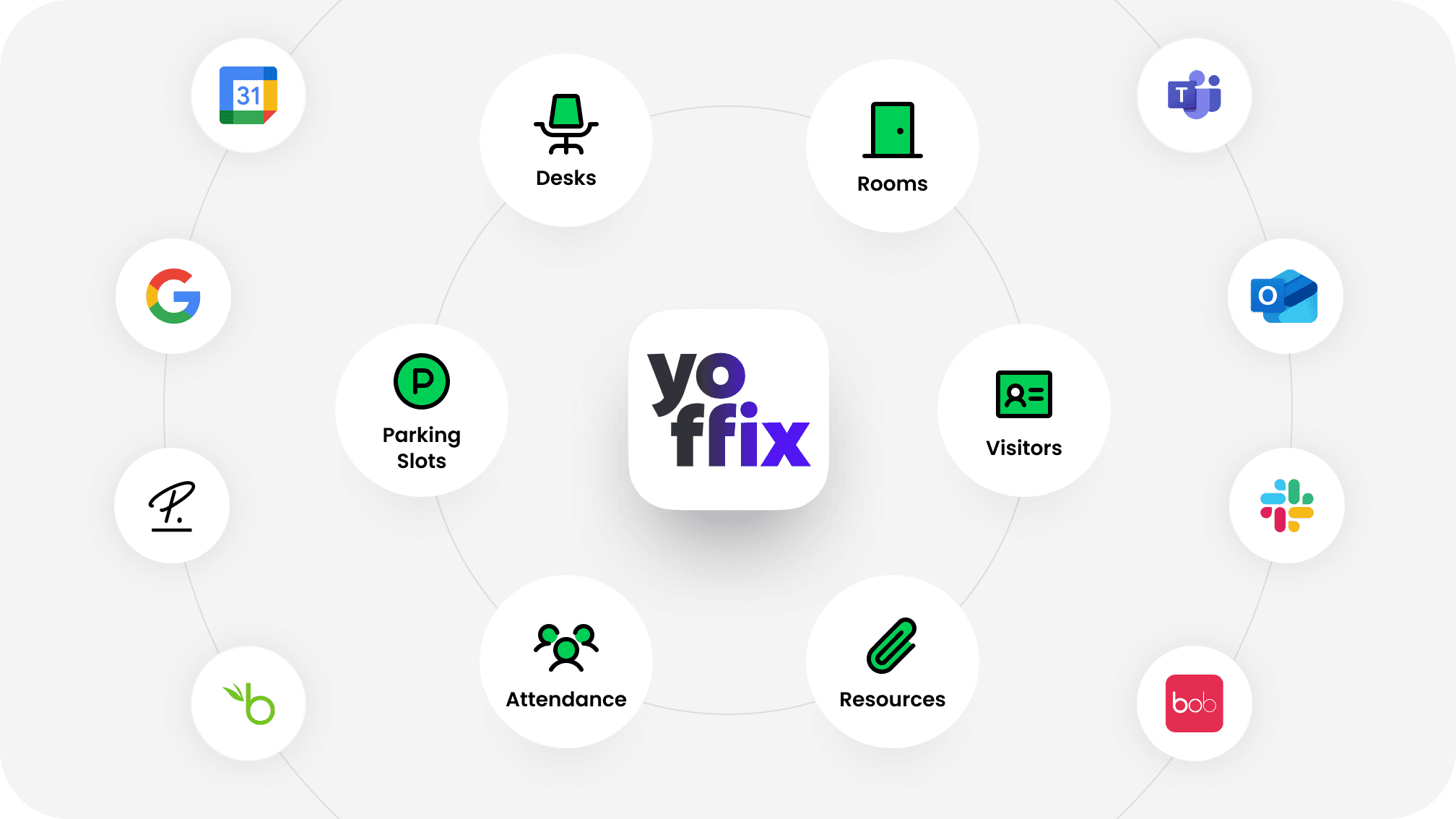
A new HQ is the right moment to consolidate. Most organizations open with four to six disconnected tools covering desks, rooms, parking, visitors, and service requests. Yoffix replaces that stack with one system, one source of utilization data, and one booking experience for every employee.

A new HQ is the right moment to consolidate. Most organizations open with four to six disconnected tools covering desks, rooms, parking, visitors, and service requests. Yoffix replaces that stack with one system, one source of utilization data, and one booking experience for every employee.

Yoffix logo at the center of a circle of icons for desks, rooms, visitors, parking, attendance, and resources, surrounded by logos of Microsoft Teams, Outlook, Slack, Google, Personio, BambooHR, and HiBob, showing Yoffix as the digital layer connecting the office.

Everything in one place

Desks, rooms, parking spaces, lockers, resources, visitors, and office requests are all managed in one admin interface. One set of rules, one dashboard, one source of truth.

Eliminate complexity

Employees book and coordinate directly from Microsoft Teams and Outlook, using tools they already know. No new app to learn, no separate login, no behavior change required.

Insights that compound

Every booking, check-in, and sensor reading becomes utilization data. Over time this tells you exactly how your office is used and where to optimize, without manual reporting.


What customers say

about Yoffix

What customers say

about Yoffix

What customers say

about Yoffix

Award-winning workplace management app
OMR badge top rated  workplace management 2026
Capterra badge best value 2026
Capterra badge best ease of use 2026
Software advice badge front runners 2026
Software advice badge best customer support 2026

4.8

4.8

Let's talk about your return-to-office plan

Get a walkthrough of how Yoffix helps you plan desk ratios, configure zones, and drive adoption before your new office opens.

Get a custom quote for your workplace

Every office is different. Tell us about your setup – the number of users, the features you need, or any other special requirements. We'll send you a tailored proposal with pricing, implementation timeline, and answers to your questions.

Response within 24 hours

Custom pricing based on your needs

No obligation

Frequently asked questions

What is a return to office policy?

A return to office policy sets how often employees are expected to work on site and under what conditions. Most policies fall into four types: a full mandate with a fixed number of days per week, structured hybrid with defined team or anchor days, role-based presence where certain roles require more on-site time, and flexible presence with guidelines rather than enforcement. The type matters less than whether presence is coordinated. Policies that specify how many days without aligning which days tend to produce offices where employees arrive to find their colleagues working elsewhere.

What is a return to office policy?

What is a return to office policy?

What are anchor days and how do they work in Yoffix?

Anchor days are the days of the week a team is expected to be in the office together. Team leads set them in the team policy tab, and they appear in every team member's calendar. A team lead can also create a team office day, which reserves a zone, assigns each invited person a desk inside it, and sets everyone to office status for that date. Anchor day attendance is tracked as its own metric in the dashboard, separate from overall attendance.

What are anchor days and how do they work in Yoffix?

What are anchor days and how do they work in Yoffix?

Can employees see who is in the office on a given day

Yes. The calendar has three views: My bookings, My team, and All colleagues. Each day shows avatars of the people who have booked the office, so employees can pick the days their colleagues are in. Employees control who can see their own attendance data within the options the admin allows, and admins set the default visibility level for new employees.

Can employees see who is in the office on a given day

Can employees see who is in the office on a given day

Is Yoffix GDPR and works council compliant?

Yoffix is GDPR compliant, ISO 27001:2022 certified by Insight Assurance, and hosted in Germany. For works council requirements, anonymous mode anonymizes individual attendance data in reports and the dashboard, so you can report aggregate trends without identifying people. Attendance visibility is configurable per employee, absence reasons are hidden from regular colleagues, and retention rules delete records automatically. Documentation is available in the Trust Center.

Is Yoffix GDPR and works council compliant?

Is Yoffix GDPR and works council compliant?

Does Yoffix work inside Microsoft Teams?

Yes. Employees set their workweek schedule, book a desk or room, see colleague presence, and receive check-in reminders inside Microsoft Teams without opening a separate app. Entra ID is supported for single sign-on and user sync, and desk and room bookings sync two-way with Outlook Calendar. Yoffix is available on Microsoft AppSource and can be purchased through a Microsoft distributor.

Does Yoffix work inside Microsoft Teams?

Does Yoffix work inside Microsoft Teams?

How long does it take to roll out a return-to-office policy?

The policy work is the longer part, and our return to office guide walks through it, from working out what your teams actually need each other for to checking what the building can hold at peak.

Setting it up in Yoffix is pretty straightforward: upload a floor plan, place desks and zones, connect your HR system and Microsoft 365, and set the company-wide minimum. Teams then pick their own anchor days inside that frame.

How long does it take to roll out a return-to-office policy?

How long does it take to roll out a return-to-office policy?