At a glance
Yoffix Attendance Management helps organizations structure hybrid work, define attendance expectations, and gain full transparency over office presence.
What You Can Do
With Attendance Management, admins and team leads can:
Set team-specific attendance rules
Define minimum office days per week or month
Create anchor days for coordinated on-site presence
Enable automatic reminders via Teams, Slack, or email
Track attendance compliance in real time
Analyze attendance trends in the dashboard
This ensures teams are aligned while maintaining flexibility.
How to Set Up Attendance Rules
Go to Team & Attendance in the Admin Panel.
Select an existing team or create a new one.
Open Settings.
Define:
Minimum required office days (e.g., 2 days per week)
Optional anchor days (e.g., every Wednesday on site)
Enable reminders if desired.
Once configured, employees can book their office days in Yoffix and optionally check in on site.
Monitor Attendance in the Calendar and Dashboard
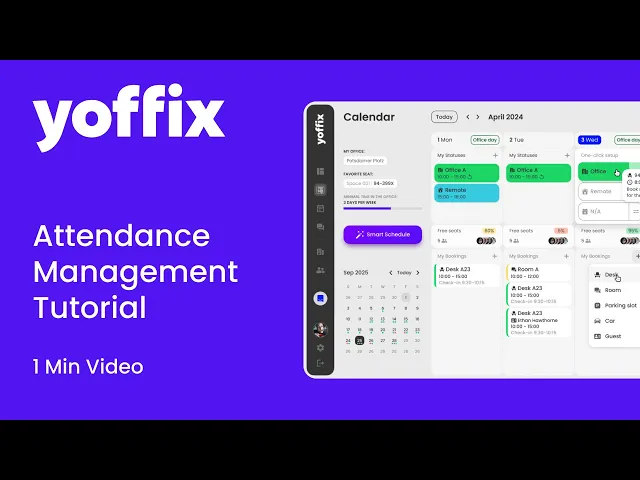
In the calendar view, you can see:
The attendance goal
The current fulfillment status
Team leads receive weekly attendance updates.
In the dashboard, you can:
View average attendance figures
Drill down into team-level data
Use a traffic light overview to identify compliance
This provides full transparency over hybrid work patterns.
Why Attendance Management Matters
Transparency
See who is on site and when, enabling better planning and collaboration.
Better Team Coordination
Anchor days help teams align their office presence and improve face-to-face interaction.
Reduced Administrative Effort
No need for spreadsheets or external tools. Attendance rules and tracking are integrated directly into Yoffix.
Smarter Space Planning
Use attendance insights to optimize workspace capacity and resource allocation.
Best Practices
Communicate attendance expectations clearly to teams.
Use anchor days strategically while maintaining flexibility.
Review attendance data regularly and adjust rules if necessary.
Combine attendance management with desk and room booking for a fully integrated hybrid workplace setup.
Yoffix Attendance Management supports structured, data-driven hybrid work while preserving autonomy and collaboration.